
Step-by-Step Instructions
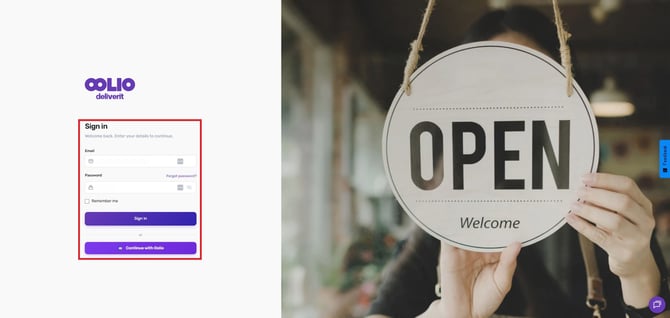
Log in to Studio
Go to my.deliverit.com.au and sign in to your Studio account.
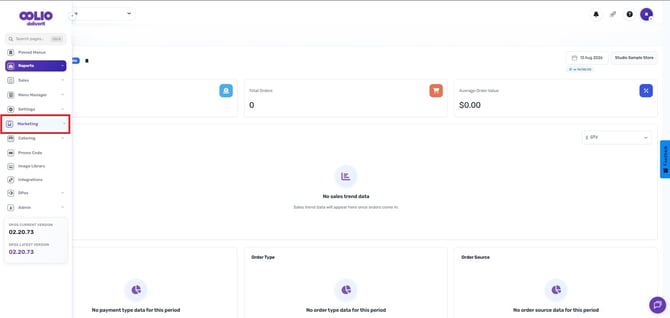
Open the Marketing Section
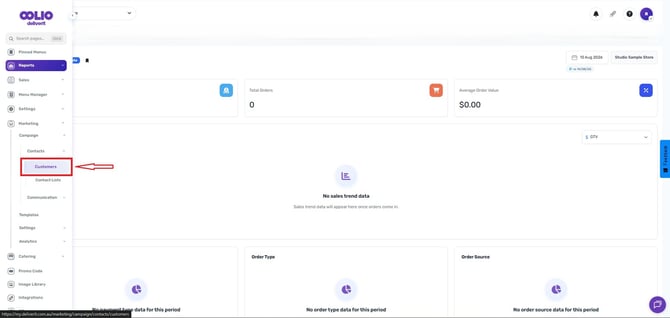
From the left-hand navigation menu, click Marketing.
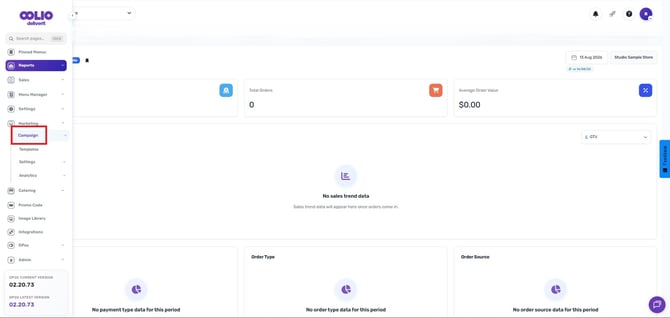
Select a Campaign
Choose the campaign where you would like to create your contact list.
Go to Contacts
Click Contacts,
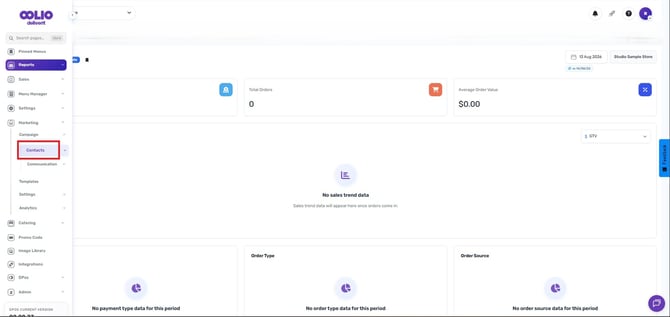
then select Customers.
Apply Customer Filters
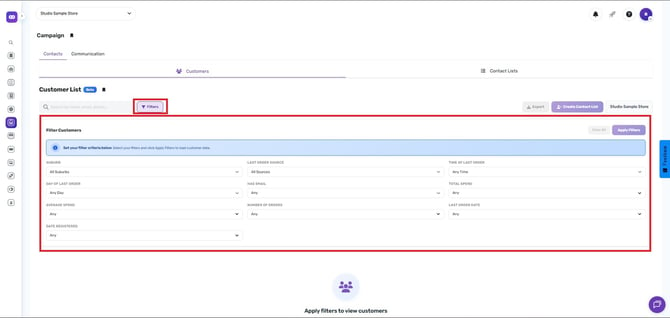
Use the available filters to define the customers you want to include in your contact list.
- Suburb – Filter customers by suburb.
- Last Order Source – Filter by where the customer's most recent order was placed.
- Time of Last Order – Filter based on how recently a customer placed an order.
- Day of Last Order – Filter customers by the day their last order was placed.
- Has Email – Show customers with or without an email address.
- Total Spend – Filter customers by total spending amount.
- Average Spend – Filter customers by average order value.
- Number of Orders – Filter by the total number of orders placed.
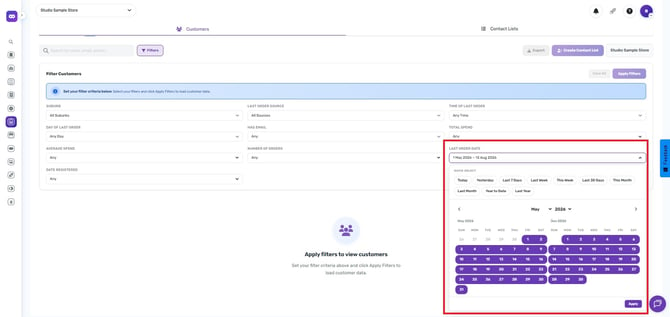
- Last Order Date – Filter by the customer's most recent order date.
- Date Registered – Filter customers based on when they registered.
Apply the Filters
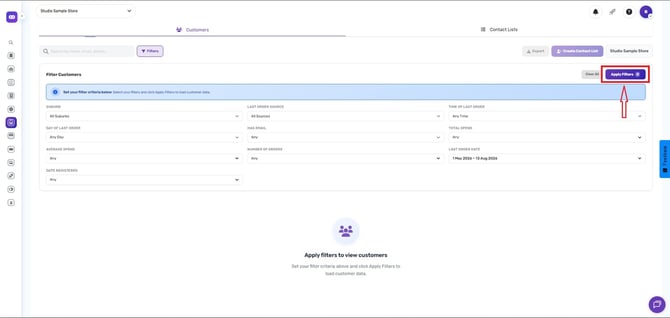
Once you have selected your filters, click Apply Filters to display the matching customers.
Create a Contact List
Select a specific client by ticking the checkbox or clicking Select All to choose from all clients.
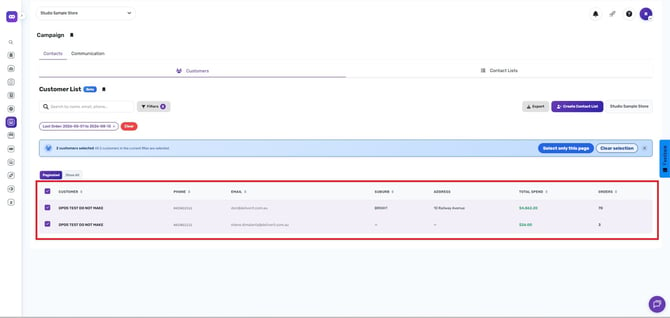
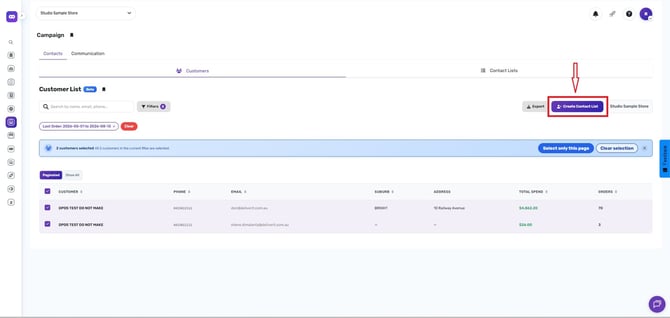
Click the Create Contact List button.
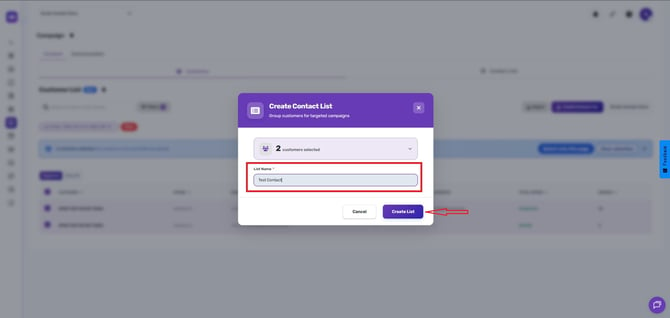
Enter a List Name
Type a name for your new contact list, then click Create List.
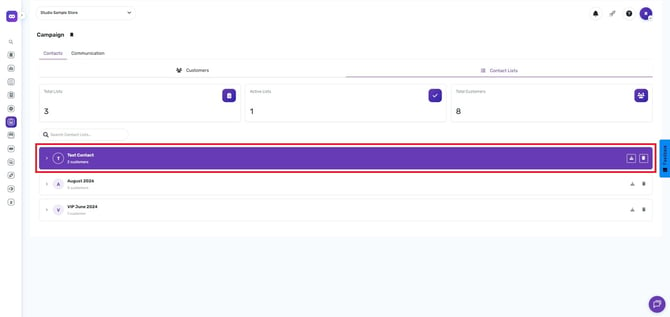
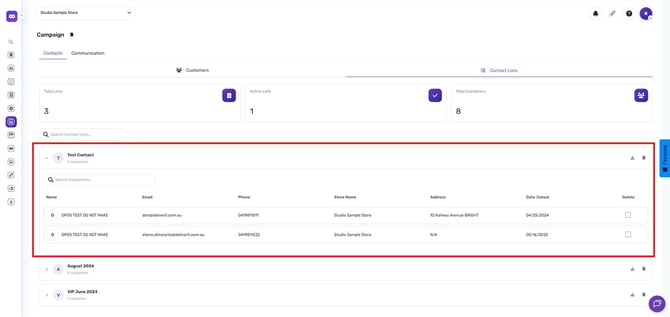
View Your Contact List
Navigate to the Contact Lists tab.
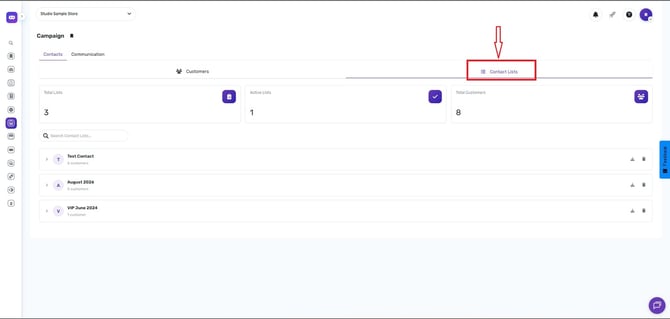
Confirm the List Has Been Created
Your newly created contact list will now be available and ready to use in future marketing campaigns.
-
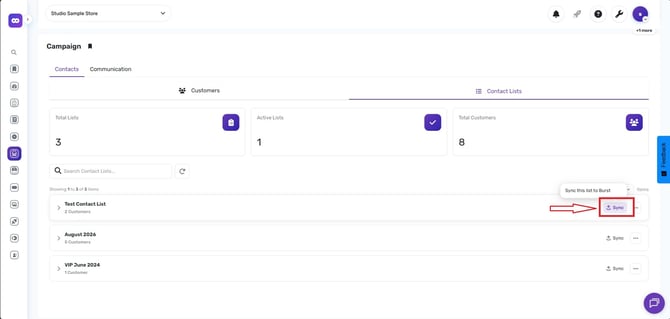
Before scheduling an SMS, make sure your contact list has been synced to Burst. Once synced, it will appear in the contact list dropdown menu.
Note:
For step-by-step guidance on creating and configuring an SMS Campaign, follow this Link
Contact Lists can be reused across multiple campaigns, helping you save time and maintain consistent customer targeting.
If you need further assistance, contact our Marketing Team for guidance and approval. You can reach them at Marketing@Deliverit.com.au or call 1300 117 117.