
Important Notes About Pizza Base Selection
- Large pizza deals do not support pizza base selection.
- Pizza base selection is only available for XL pizza deals.
- If you need to choose a specific pizza base, ensure you select an XL pizza deal.
Step‑by‑Step: How to Select a Pizza Base in a Deal
Go to Orders
- Open the Orders section in the system.
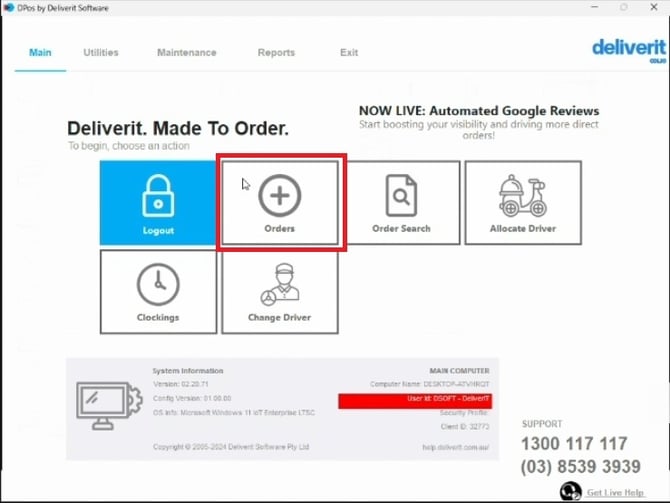
Choose a Deal
Large Deal (No Base Selection Allowed)
- Click on the Menu Deals button.
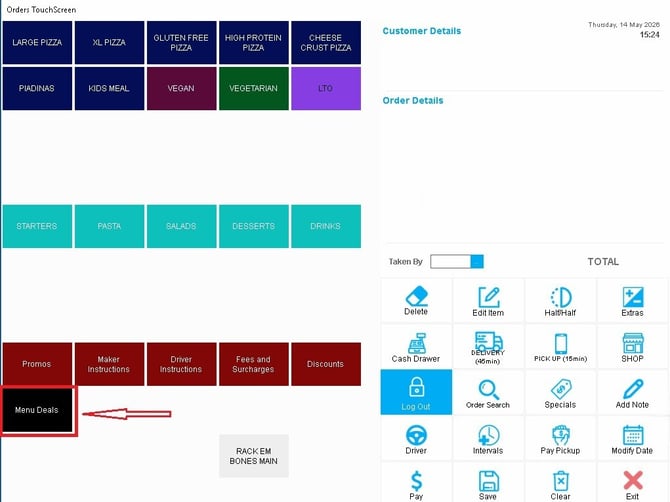
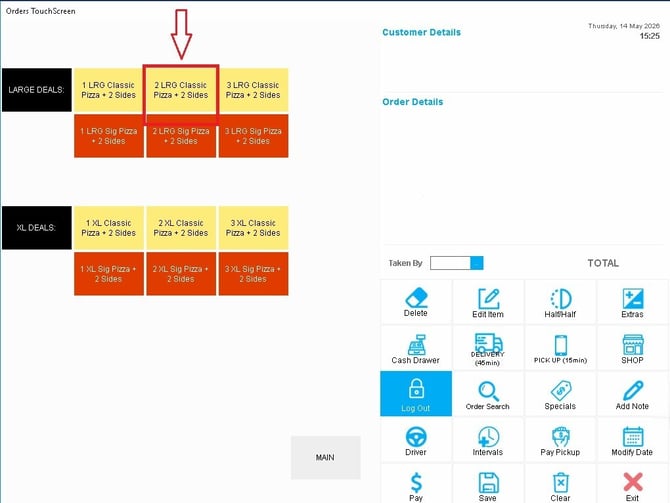
- Select the Large pizza deal you want to add to the order.
Complete the Deal Prompts
- Follow the on‑screen prompts to configure the deal.
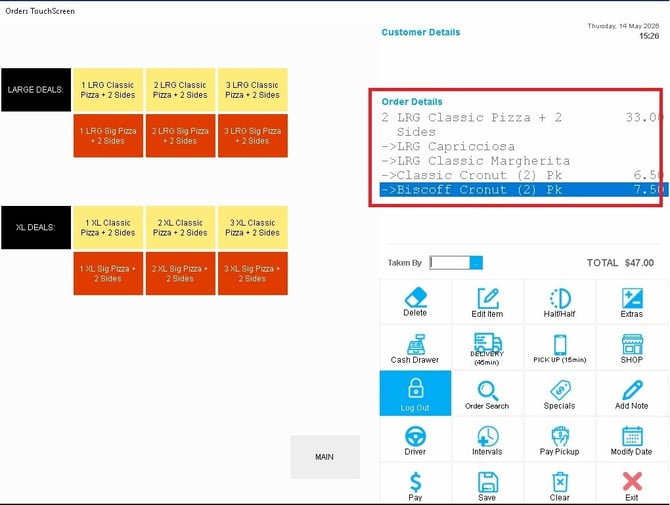
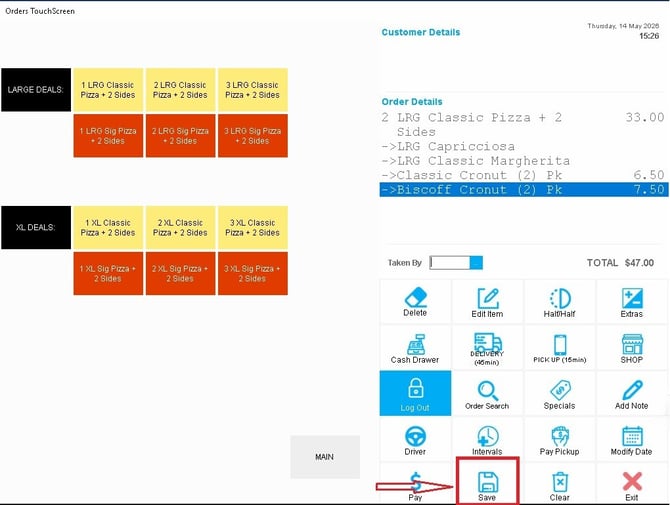
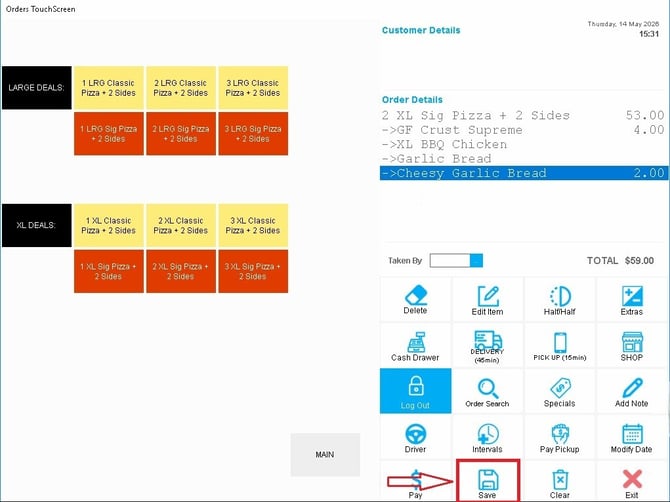
Save Your Selection
- Once all selections are complete, click Save to finalize the deal.
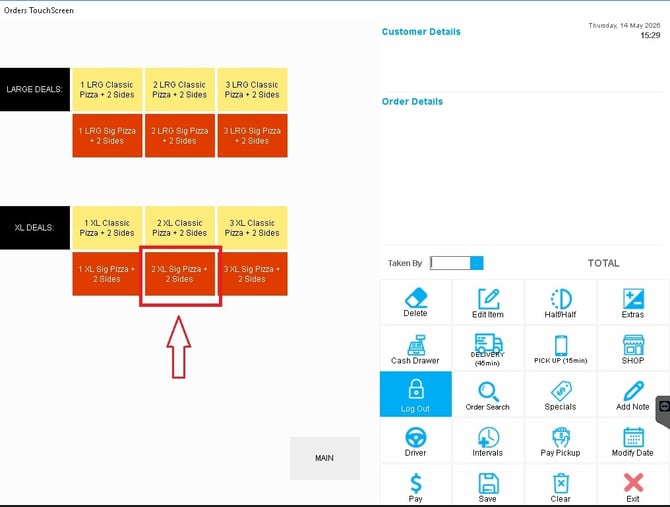
Extra Large Deal (Customise Base Selection)
- Select the Extra Large pizza deal you want to add to the order.
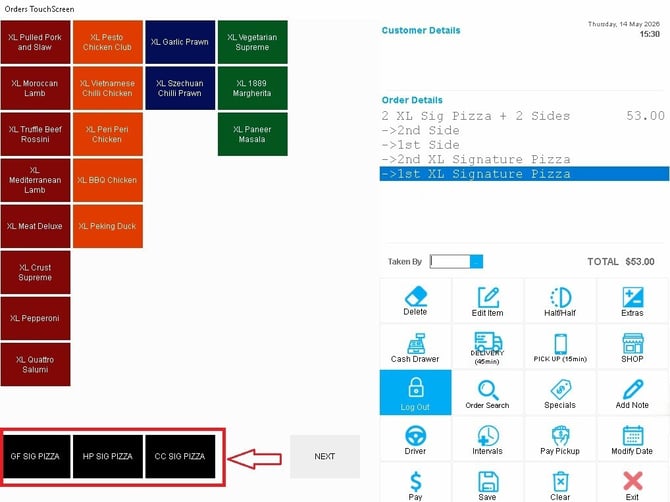
Select the pizza and choose the pizza base.
- Choose your preferred pizza base. Then choose a pizza.
From this screen, use the top three navigation buttons to navigate to the Gluten Free (GF) Menu, High Portien (HP) Menu, or Cheese Crust (CP) Menu.
Select pizza variation
Complete the Deal Prompts
- Follow the on‑screen prompts to configure the deal.
- In this example, a GF base has been selected.
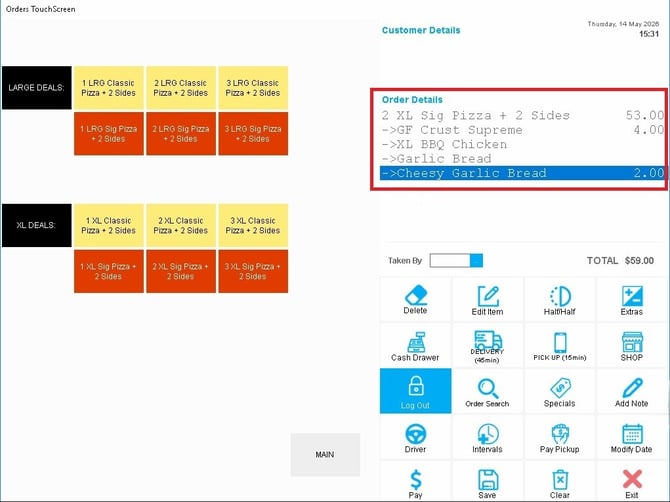
Save Your Selection
- Once all selections are complete, click Save to finalize the deal.
If you need further assistance, click the blue chat icon at the bottom‑right corner of the screen to connect directly with our Application Support Team.