![Deliverit_White.png]](https://help.deliverit.com.au/hs-fs/hubfs/Deliverit_White.png?height=40&name=Deliverit_White.png)
Step-by-Step Guide
Note: Since only the PLU code is transmitted to the DPos, the deal needs to be created on its own.
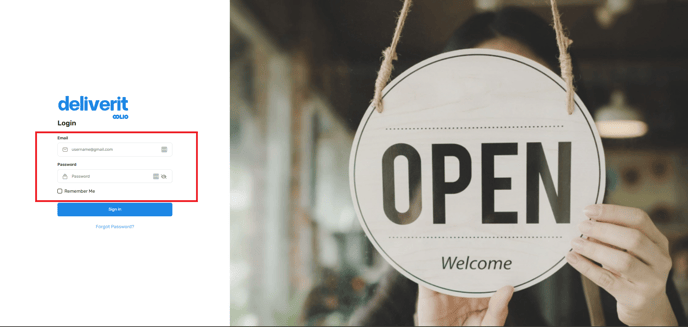
Log in to Deliverit Studio
- Enter your username and password
- Click Log In
Create the Deal Structure
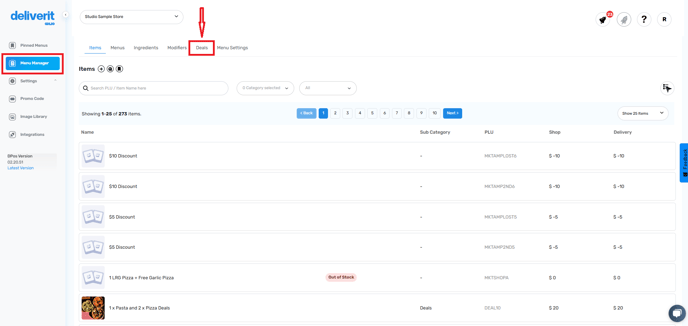
- Click the Deals section from the Menu Manager
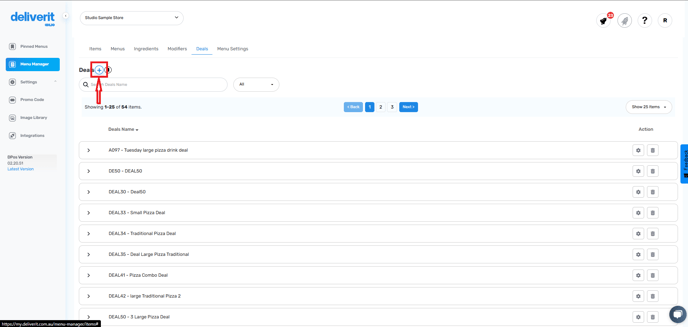
- Click the + icon beside “Deals” to add a new one
Set Up Deal Details
- Choose the Category and Subcategory as Deals
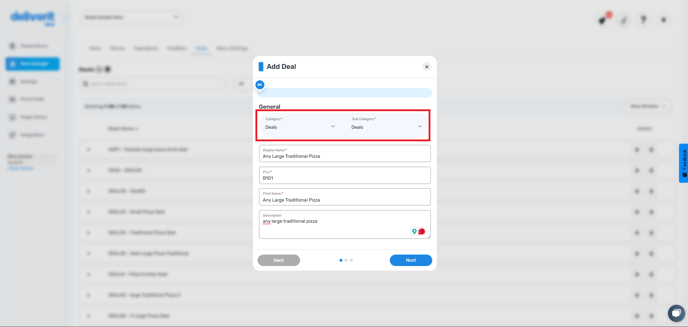
Fill in:
- Display Name (name visible to customers)
- PLU (unique product code)
- Print Name
- Description
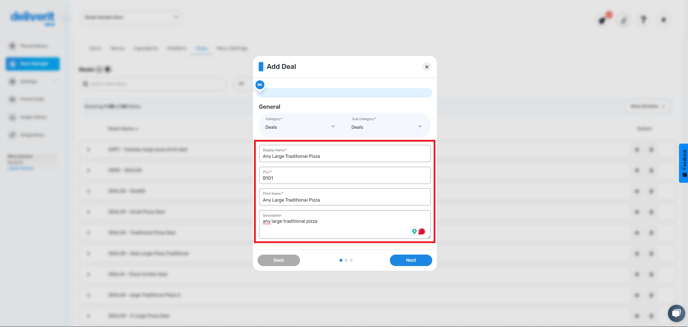
- Click Next
Set Deal Price
- Enter 0 as the price (as the deal will auto-calculate value)
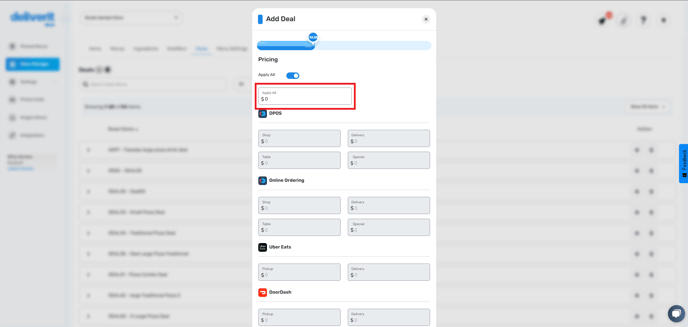
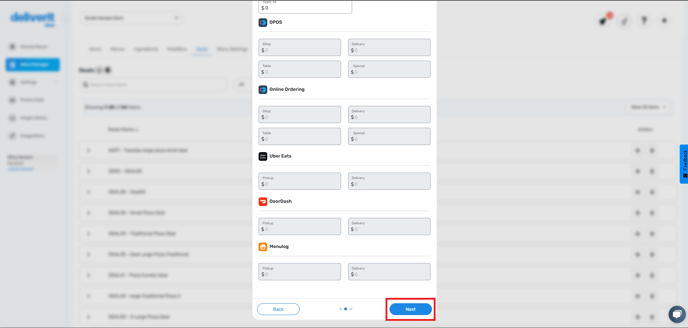
- Click Next and then Finish
Deploy Initial Deal
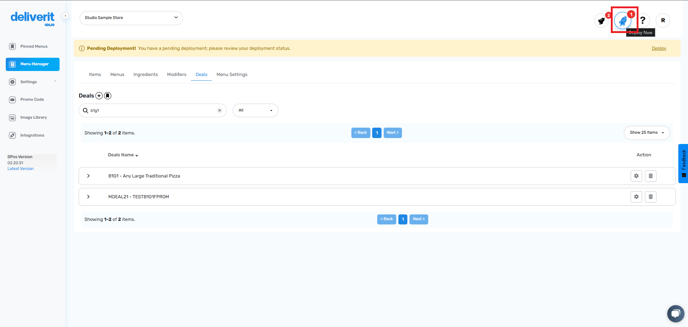
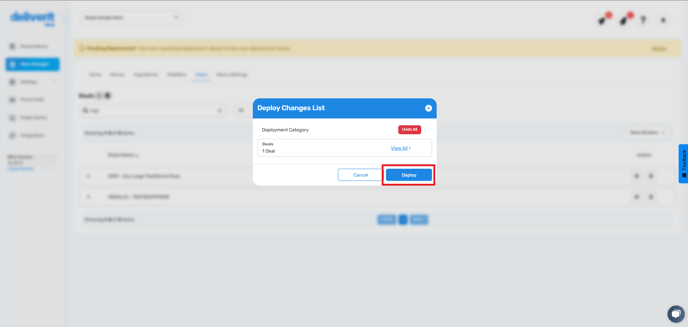
- Click the rocket icon and hit Deploy
Configure Deal Selections
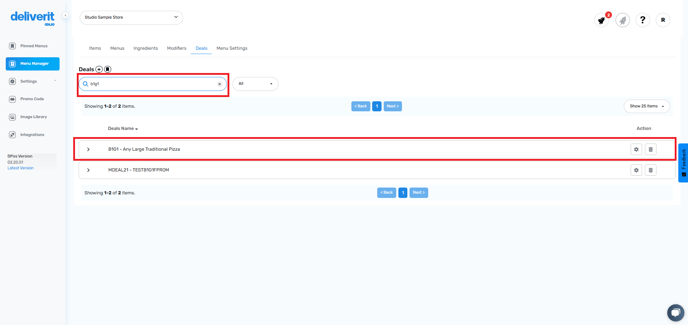
- Search and select the deal you just created
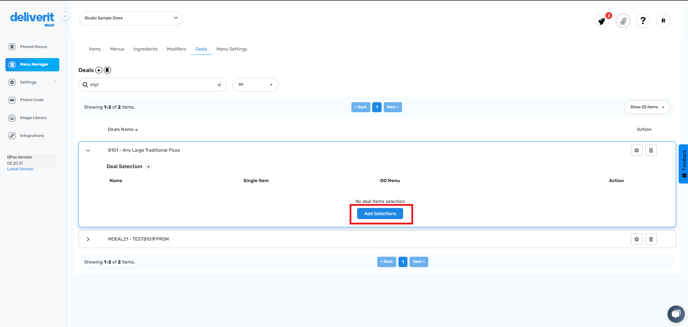
- Click Add Selections
For each selection group:
- Enter a Name (e.g., “1st Large Traditional Pizza”)
- Add item Options (e.g., Traditional Pizza)
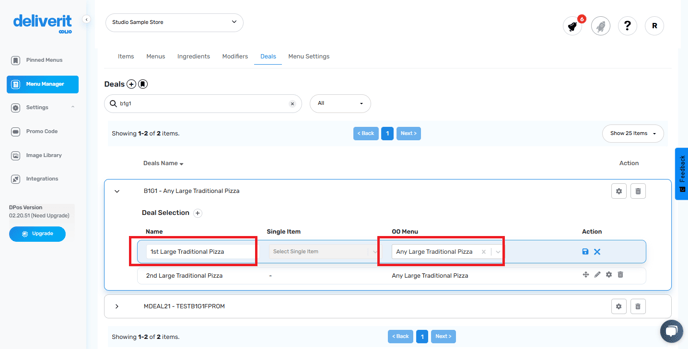
- Click Save
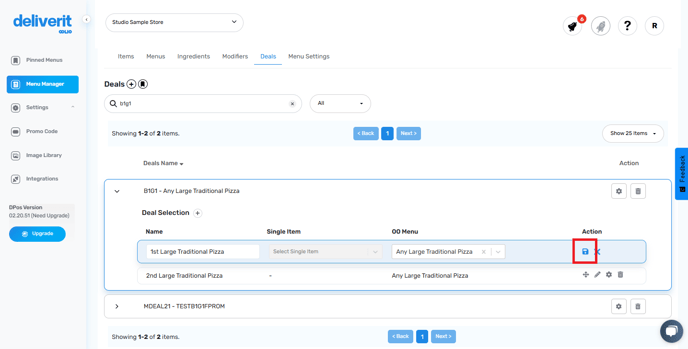
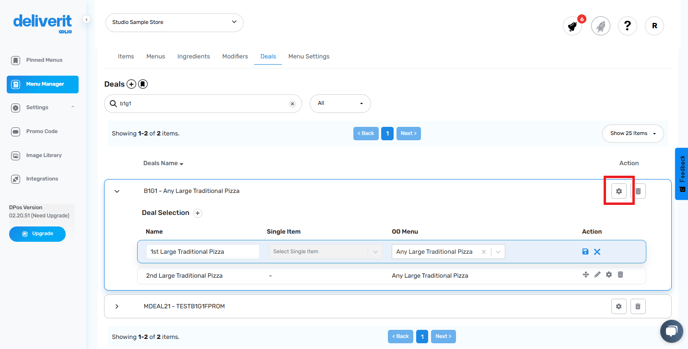
Set Buy 1 Get 1 Free Logic
- Click the gear icon (⚙️) on the deal
- Go to the Other Options tab
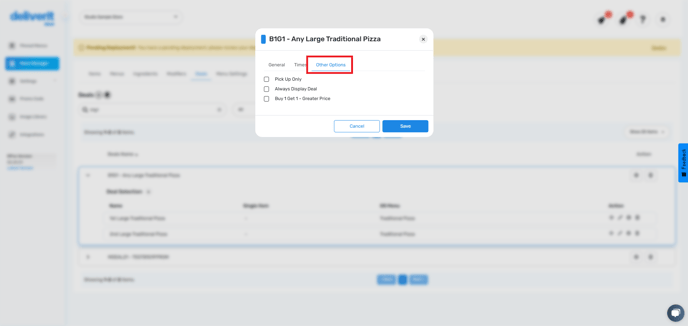
- Tick the box for Buy 1 Get 1 – Greater Price
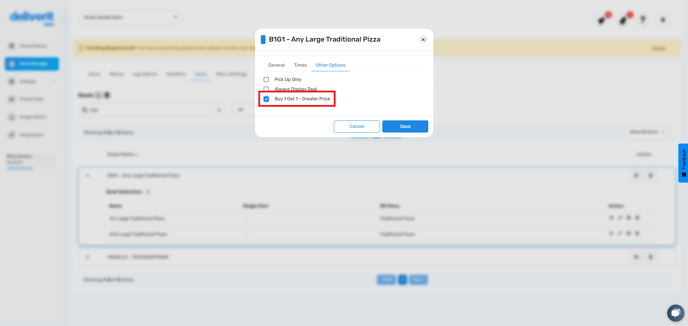
(This will charge the higher-priced item and give the cheaper one for free)
- Click Save
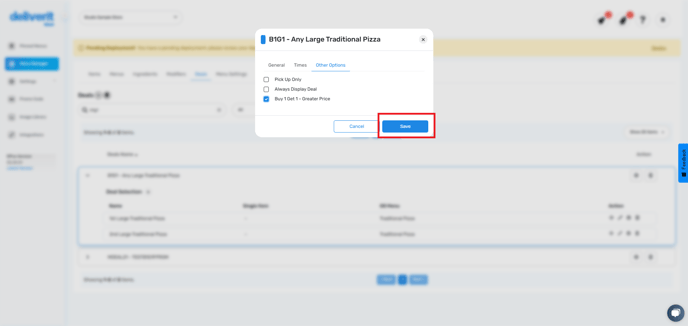
Deploy the Updated Deal
- Click the rocket icon again and hit Deploy
Organize the Menu View
- Go to the Menus tab.
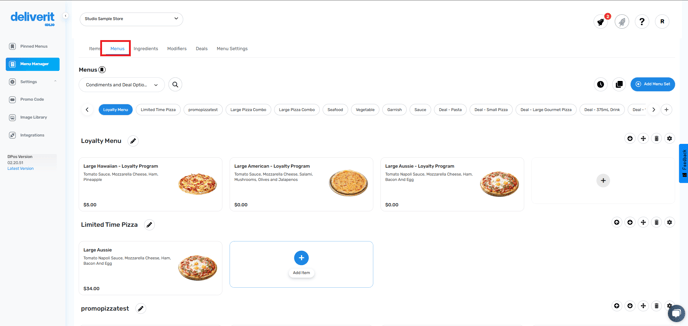
- Choose Condiments & Deals
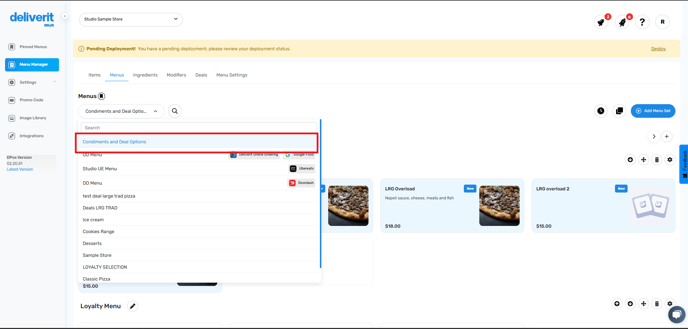
- Click the + icon to create a new menu category
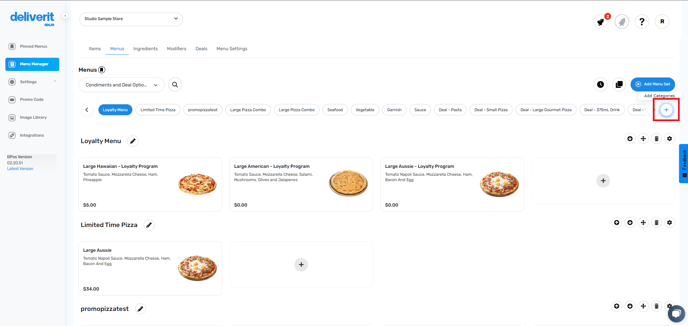
- Name the category (e.g., “Any Large Traditional Pizza”) and click Add
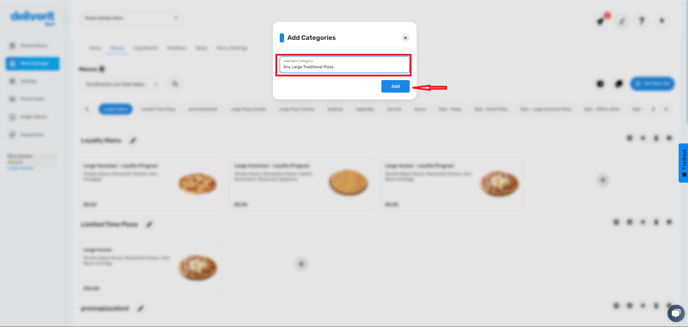
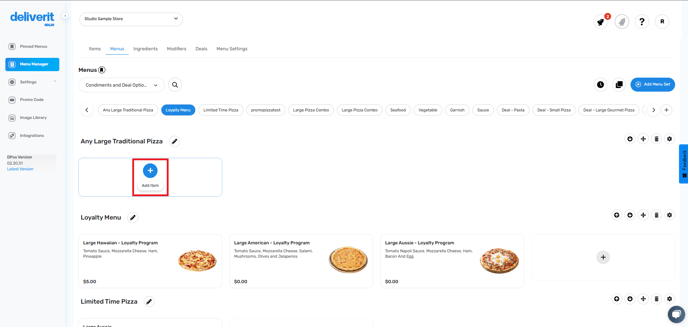
Add Deal Items to the Menu
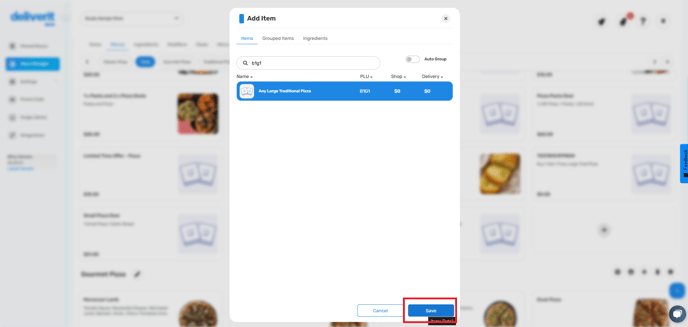
- Click Add Item
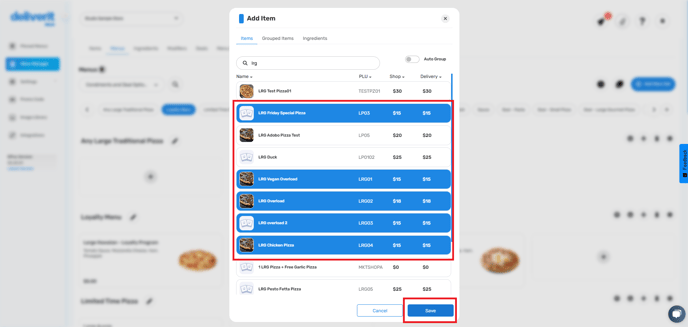
- Search for the deal items and save
Hide Internal Menus from Public View
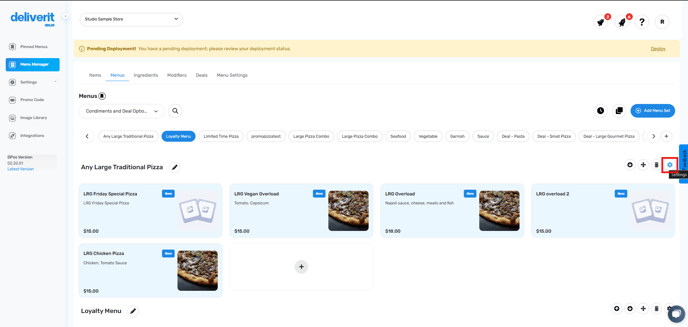
- Click the gear icon for the internal menu
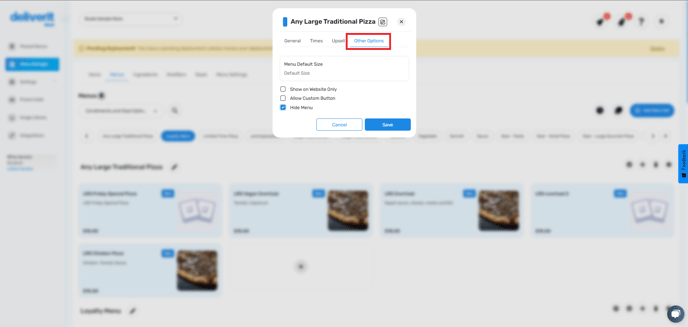
- Go to the Other Options tab
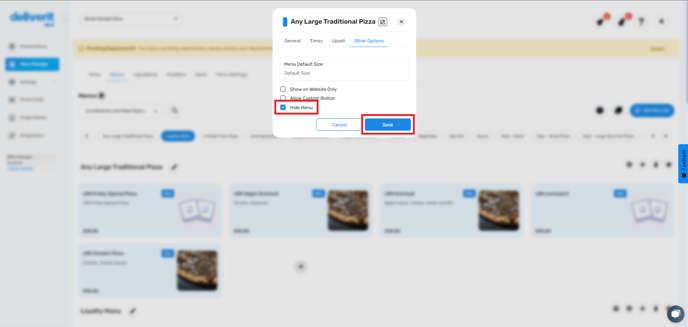
- Tick Hide Menu and click Save
Enable Deal for Online Ordering
- Navigate to the Online Ordering Menu
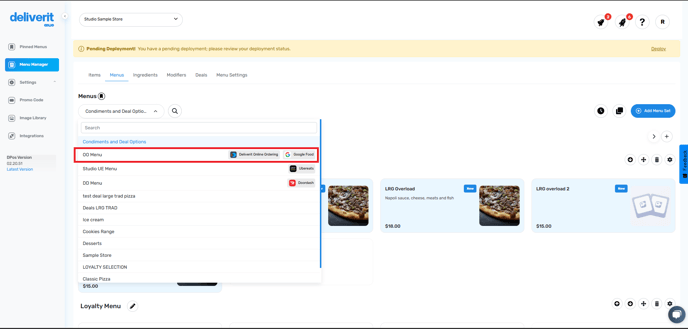
- Go to the Deals category
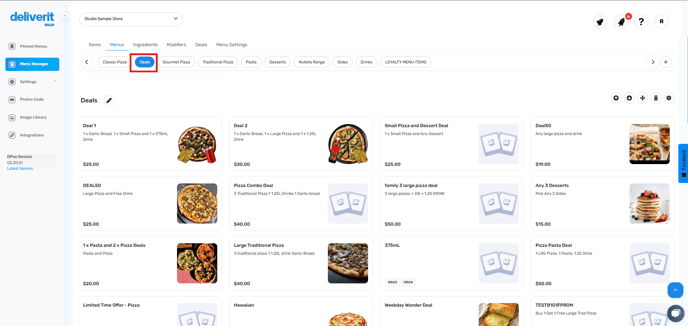
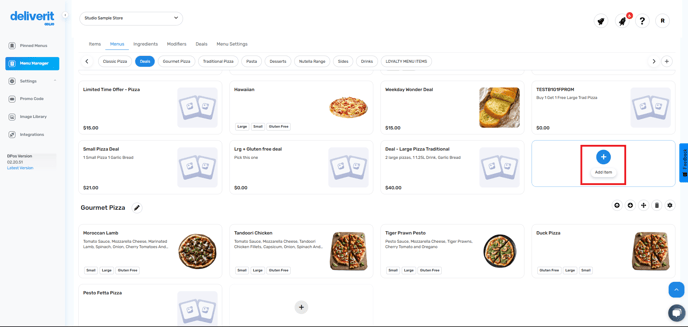
- Click Add Item
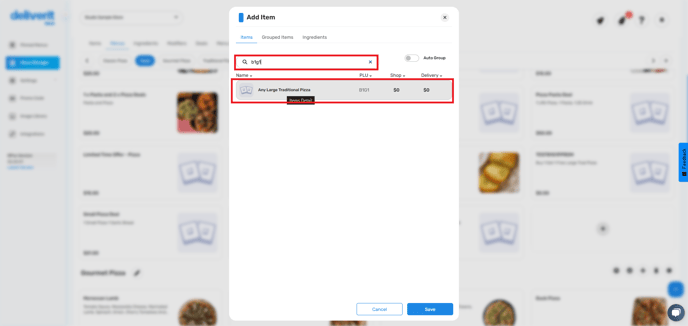
- Search by the PLU or description of the deal,
- Then click Save
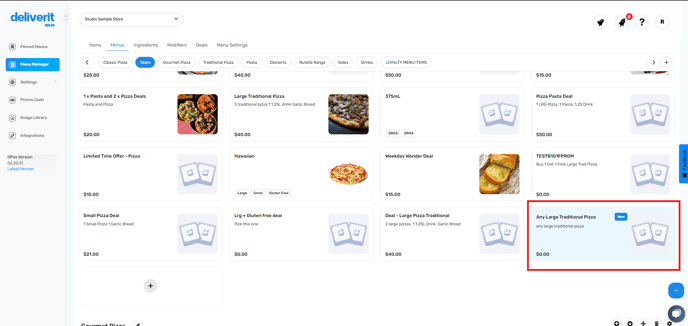
You’ve successfully created a Buy 1 Get 1 Free deal in Deliverit Studio. Customers can now enjoy this offer online, increasing both sales and satisfaction! If you need further assistance, simply click the blue chat icon at the bottom-right corner of the screen to connect directly with our Application Support Team.