![Deliverit_White.png]](https://help.deliverit.com.au/hs-fs/hubfs/Deliverit_White.png?height=40&name=Deliverit_White.png)
How to Create a Delivery Zone Code in Deliverit Studio
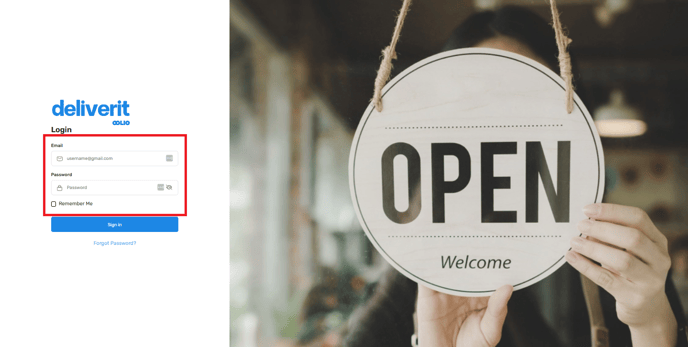
🟩 Log in to Deliverit Studio using your DPOS Cloud credentials
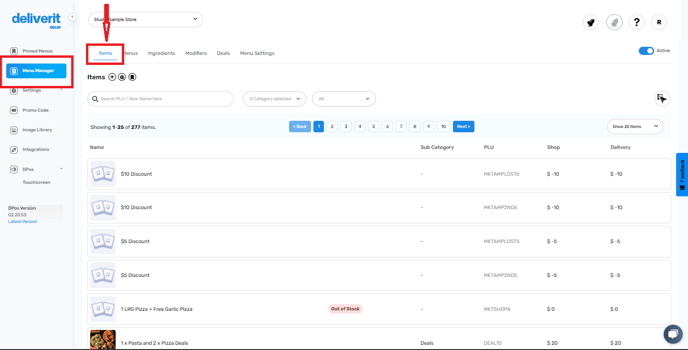
🟩 Go to Menu Manager → Click the Item tab
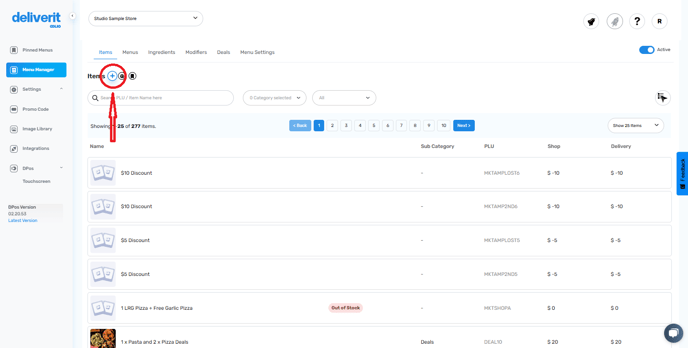
🟩 Add a New Item (PLU) using the Add Item Wizard
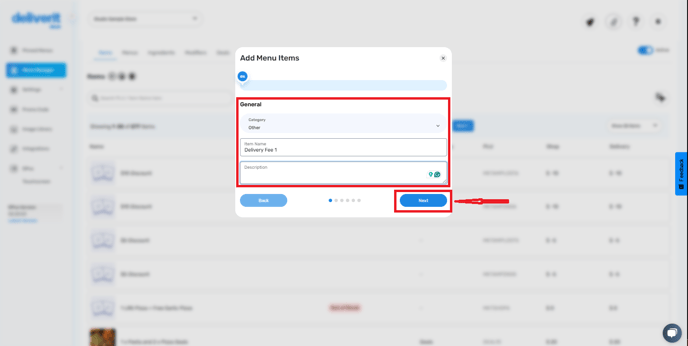
🟩 Fill in item details:
🟩 Category (e.g., Surcharge or Public Holiday)
🟩 Item Name (e.g., "Delivery Fee 1")
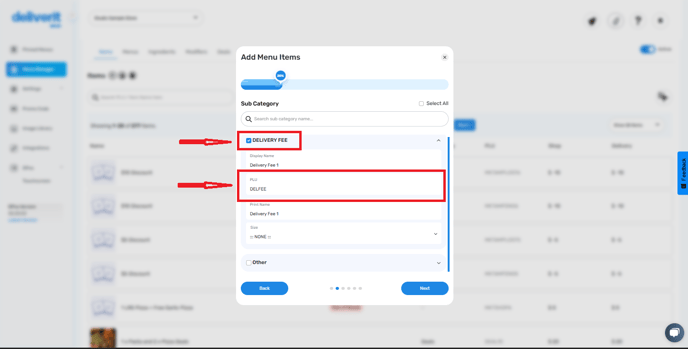
🟩 Unique PLU Code (e.g., DELFEE)
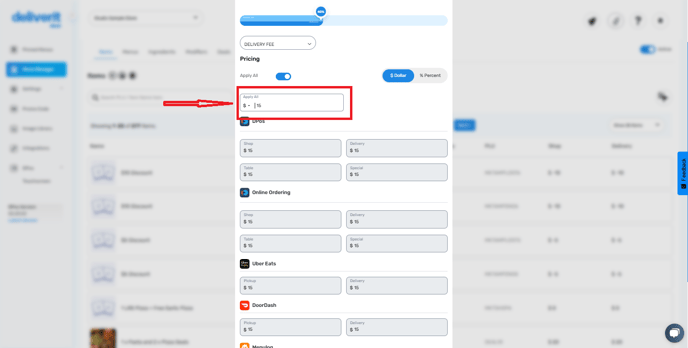
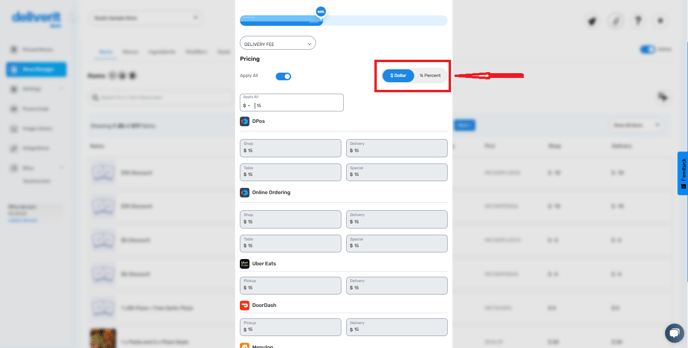
🟩 Set the price as a dollar.
🟩 Deploy changes using the rocket icon
💡 Note: If you're setting up a new delivery zone and don’t have a PLU for the fee yet, complete this step first so it can be selected when assigning fees.
Note: Your DPOS version should be 02.20.49 to receive the updates from Deliverit Studio.
Step-by-Step Instructions
Log in to Deliverit Studio
- Go to: https://my.deliverit.com.au
- Enter your DPOS Cloud username and password to log in.
Open the Item Tab
- On the left-hand side menu, click Menu Manager.
- Then select the Item tab.
Add a New Item
- Click the Add Item button or the plus (+) icon to create a new PLU.
Fill in Item Details
- Category – Select the relevant category for the item, such as surcharges, Public Holiday
- Item Name – Choose a name like “Delivery Fee 1”.
- Description – Optional, for internal use. Click next.
- Tick the box for the category, and enter a unique PLU code (DELFEE)
- Click Next to continue.
Set the Price
- Set your desired price.
- Choose dollar ($) pricing format
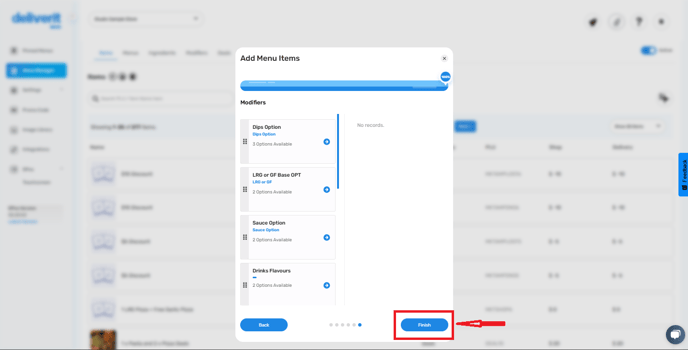
- Click Finish.
Confirm and Deploy
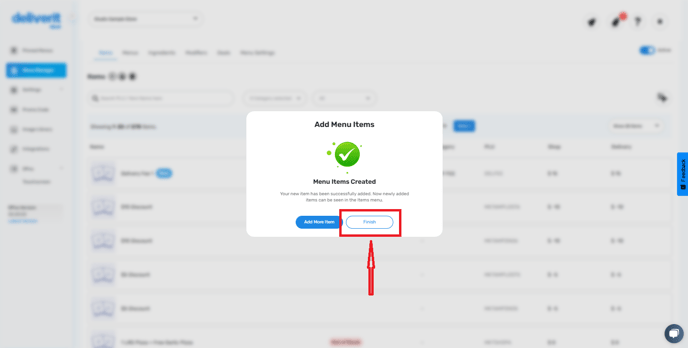
- A confirmation pop-up will appear – click Finish again.
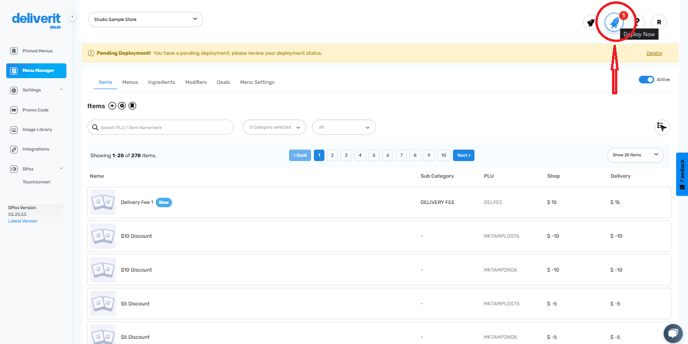
- Go to the rocket icon at the top right of the page.
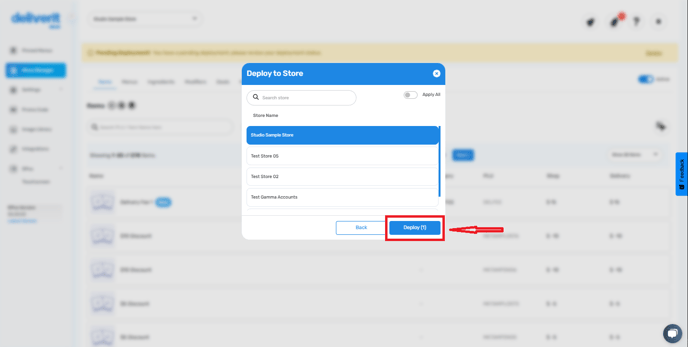
- Click Deploy to publish your changes.
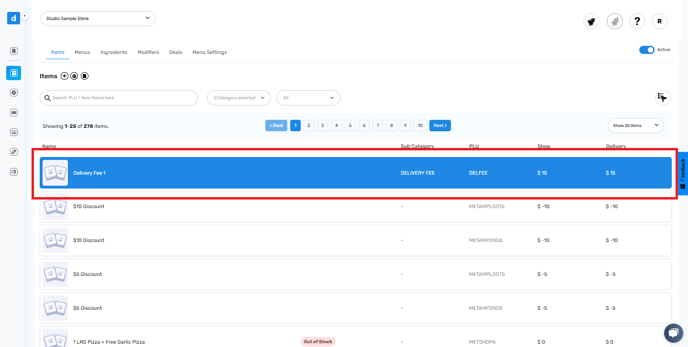
Restart your DPOS application to update your delivery areas.
Note: To add a delivery zone, follow this link: How to Add a New Delivery Zone
By following these steps, you can easily create and deploy a delivery zone PLU using Deliverit Studio. If you need further assistance, please contact our Application Support Team.