
Step-by-Step Guide
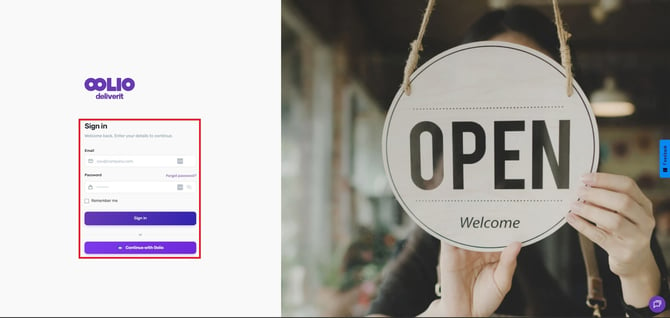
Log in to Deliverit Studio
Go to https://my.deliverit.com.au.
Enter your Cloud username and password, then click Log In.
Open the Catering Section
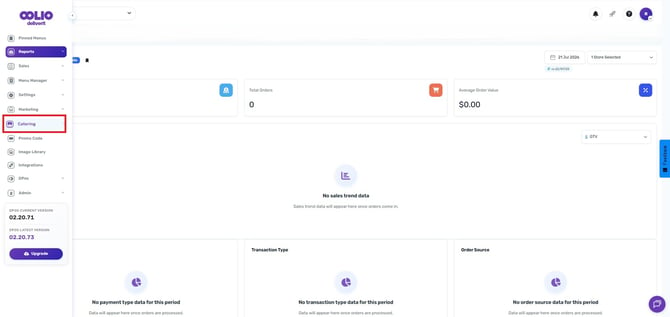
From the left-hand panel, select Catering to access your catering settings.
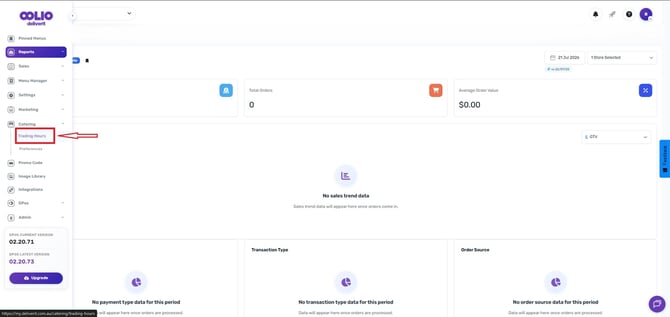
Go to the Trading Hours.
Click Trading Hours to view and adjust your store’s catering hours.
Set Your Trading Hours
You can choose to:
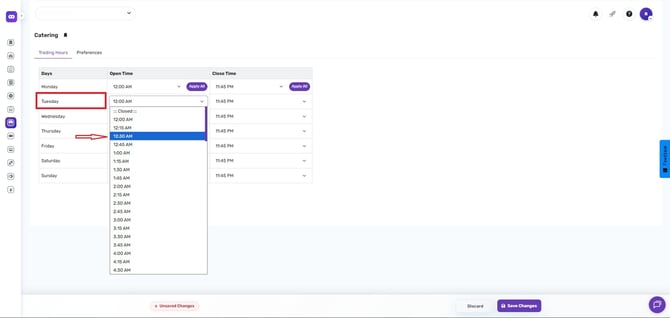
- Apply the same trading hours for all days: Click the Apply All button.
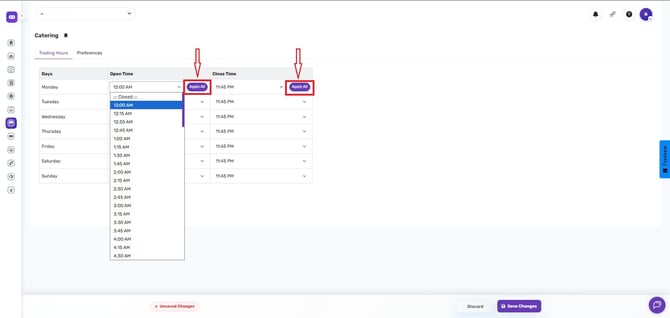
- Set different times for each day: Adjust the opening and closing hours for each day individually.
Save Your Changes
Once you’ve updated your trading hours, click Save.
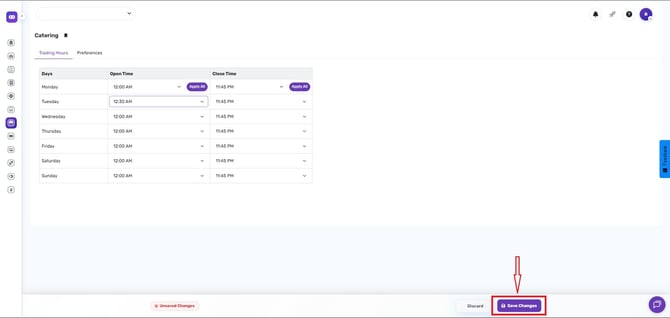
Your changes will automatically apply to the system.
By following these steps, you will be able to update your catering trading hours in Deliverit Studio efficiently. If you need further assistance, simply click the blue chat icon at the bottom-right corner of the screen to connect directly with our Application Support Team.