
The upsell feature is only supported on the Online Ordering platform.
Integrated partner platforms do not currently support upsell functionality.
Step-by-Step Guide
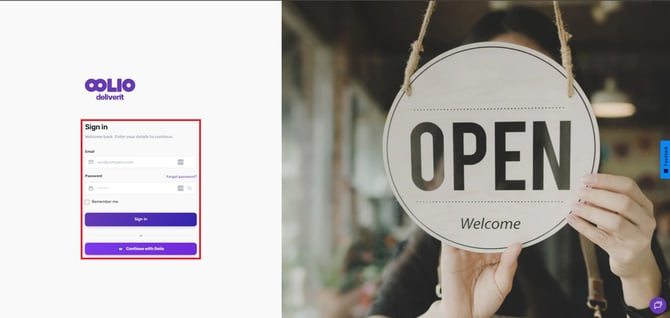
Log in to Deliverit Studio
Open your browser, go to my.deliverit.com.au, and sign in with your Deliverit Studio credentials.
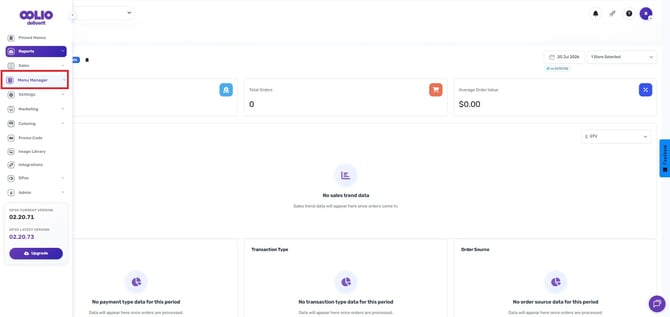
Open Menu Manager
From the left-hand navigation, click Menu Manager to access menu and item settings.
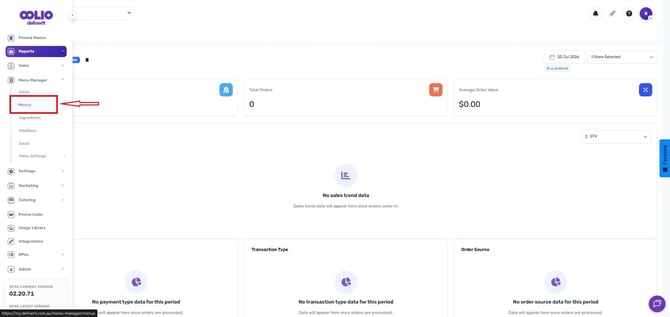
Go to the Menus tab
Click on the Menus tab at the top of the Menu Manager page to view your menus and categories.
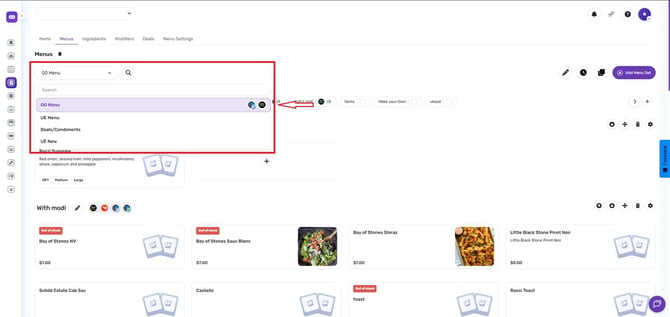
Choose a Menu
From the dropdown list, select the specific menu where you want to set up your upsells. This ensures you are editing the correct menu before proceeding.
Choose a Category
Select the menu category where you want the upsell to appear (for example, Pizzas or Pasta).
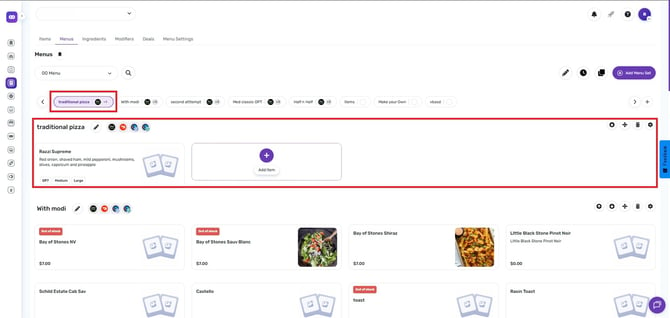
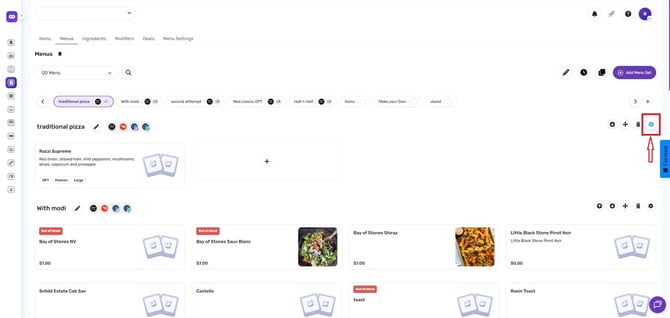
Open Category Settings
Click on the gear (settings) icon in the top-right corner of the selected category to open its configuration panel.
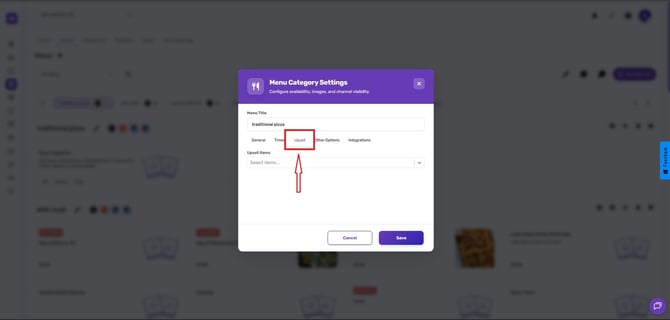
Open the Upsell Tab
Inside the category settings, select the Upsell tab to start configuring upsell suggestions.
Add Upsell Items
Use the search box to find items you want to offer as upsells. Click on each item to add it to the upsell list for that category.
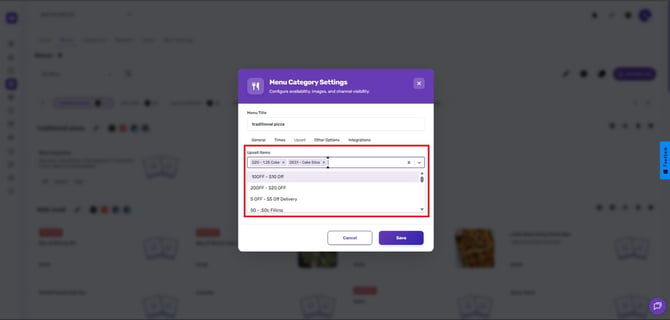
You can add up to a maximum of 10 upsell items.
Click Save.
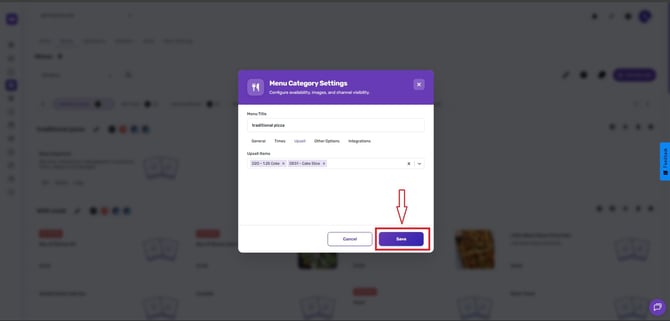
Deploy the changes.
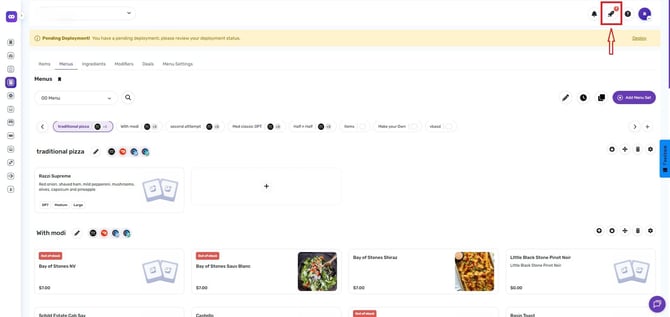
When you’ve added the upsells you want, click the rocket icon and hit Deploy to publish your changes.
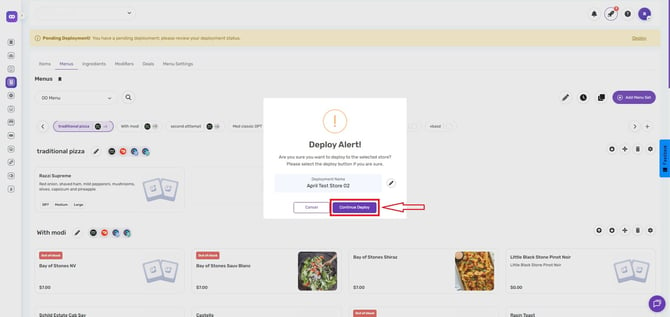
The upsells will then appear to customers according to your menu rules.
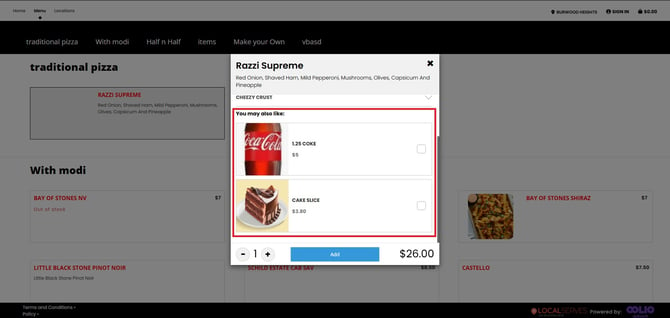
Additional Tips:
- Select upsells that are relevant to the base item (e.g., sides, drinks, extras). Relevant suggestions convert far better.
- Keep the list short — 2–4 strong upsell options work better than a long list.
Setting up upsells helps increase average order value and improve customer convenience. If you need further assistance, simply click the blue chat icon at the bottom-right corner of the screen to connect directly with our Application Support Team.