
Steps to Set Up Ingredient Presets
Log in to Studio
Go to my.deliverit.com.au and sign in using your Studio account.

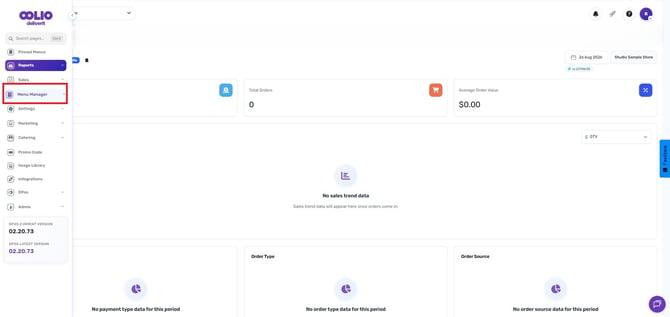
Open Menu Manager
From the main navigation menu, select Menu Manager.
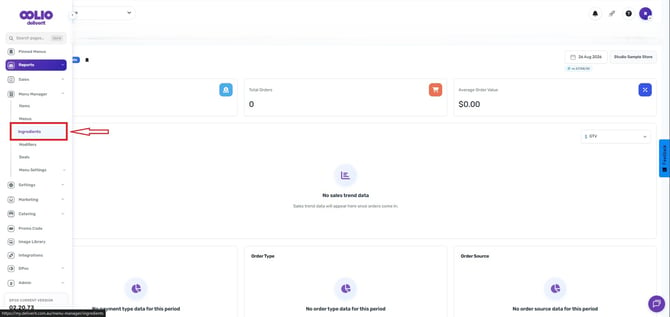
Navigate to Ingredients
Click on Ingredients from the available menu options.
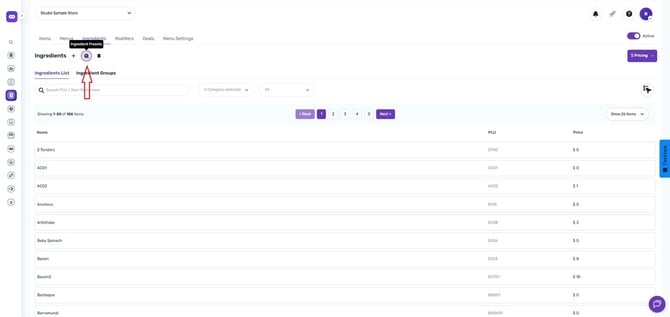
Open Ingredient Presets
Click the Ingredient Preset icon.
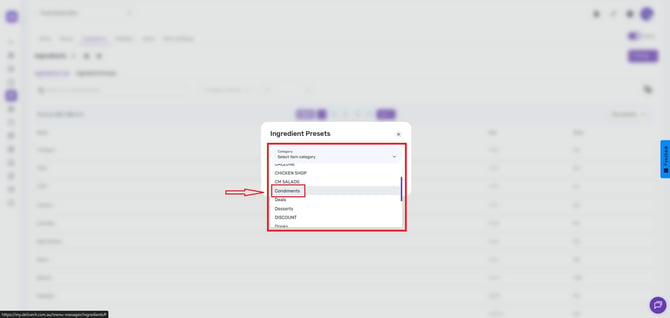
Select a Category
Choose the appropriate category for the preset, such as:
- Condiments
- Extras
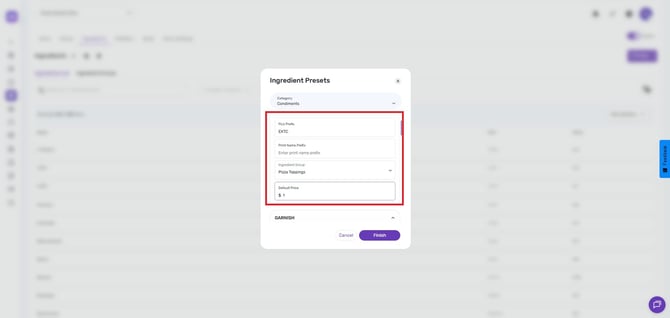
Configure the Preset
Enter the required information for the preset:
- Product Code
- Ingredient Group
- Price
Save the Preset
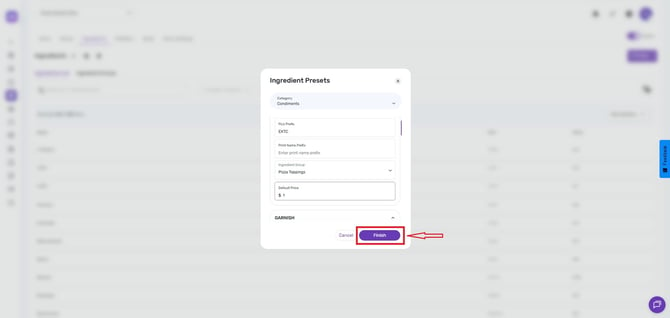
Once all details have been entered, click Finish to save the Ingredient Preset.
Applying the Preset
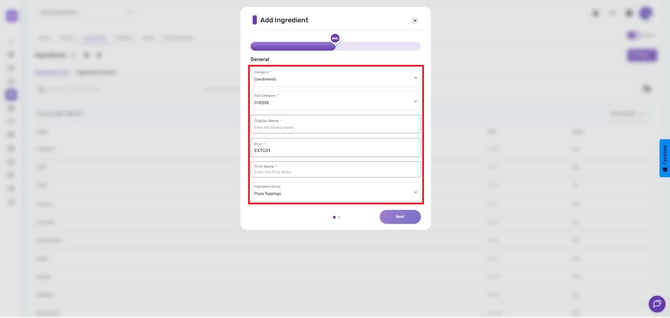
When creating a new ingredient, the values defined in the Ingredient Preset will automatically populate the relevant fields, helping you create ingredients faster and maintain consistency across your menu.
Tip: Create separate presets for commonly used ingredient types such as sauces, condiments, extras, and garnishes to speed up menu setup and management.
Ingredient Presets are designed to reduce manual entry and standardize ingredient configuration. If you frequently create similar ingredients, setting up presets can significantly improve efficiency and consistency throughout your menu. If you need further assistance, simply click the blue chat icon at the bottom-right corner of the screen to connect directly with our Application Support Team.