
Step-by-Step Guide
Go to the Order Screen
Start by navigating to the main order screen on your Oolio POS system.
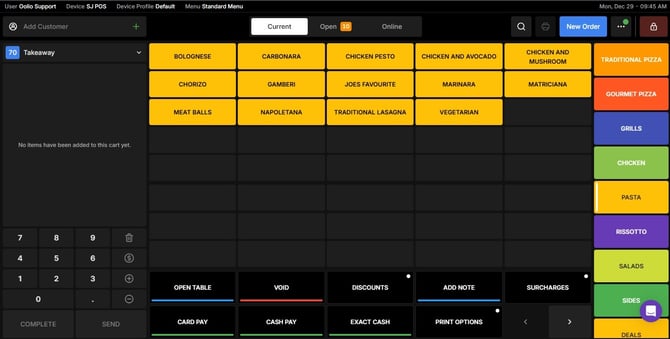
Select the Category
Browse through the available categories and tap on the one that contains the item you want.
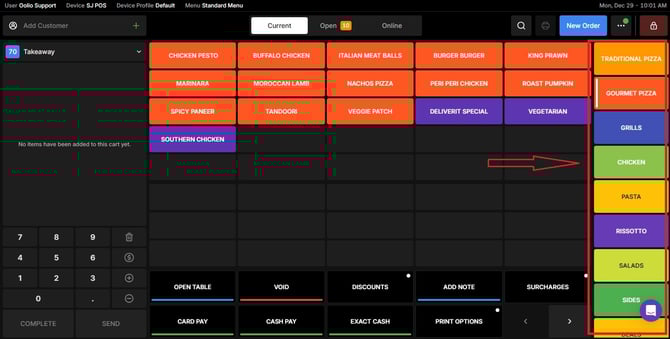
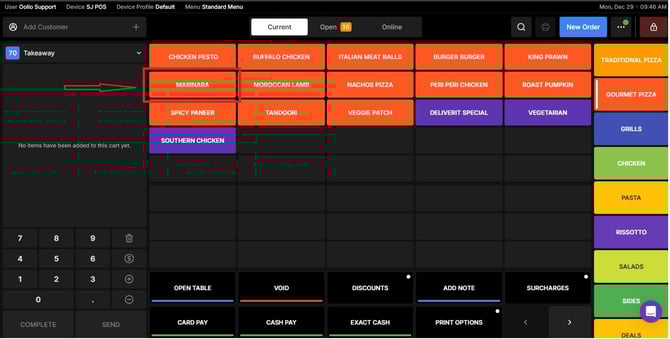
Click on the Item
Once you find the item, select it to view its details.
Choose Your Desired Size
From the sizing options displayed, pick the size that best fits your needs.
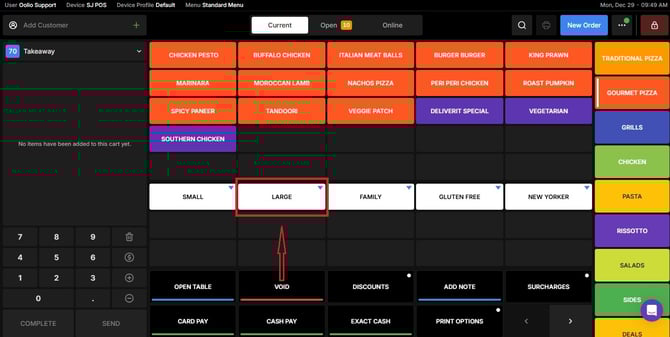
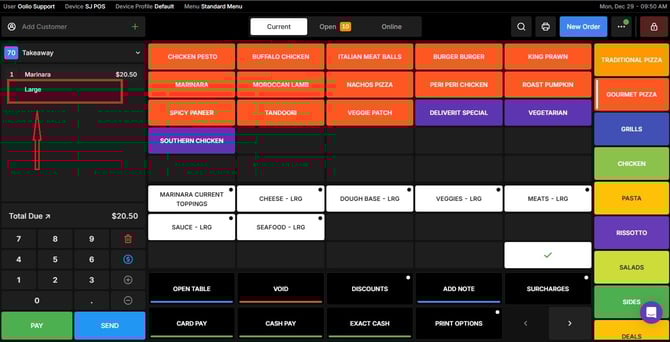
By following these steps, you will be able to select a sizing group for items on Oolio Pos efficiently. If you need further assistance, simply click the blue chat icon at the bottom-right corner of the screen to connect directly with our Application Support Team.