
Steps to Disable Online Delivery Orders
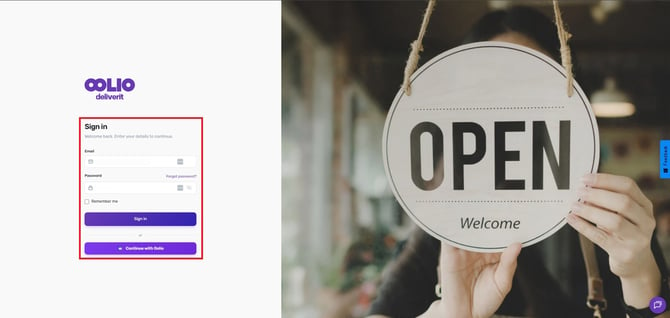
Log in to Studio
Go to my.deliverit.com.au and sign in using your Studio account credentials.
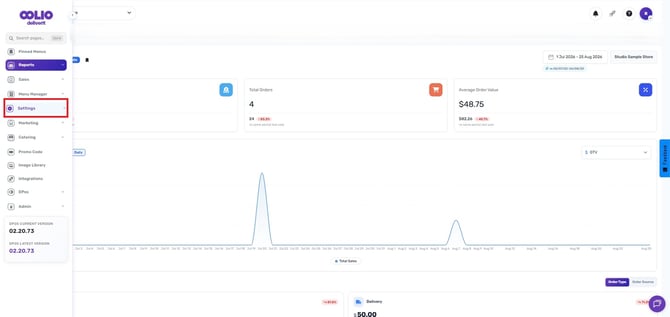
Navigate to Settings
From the main menu, click Settings.
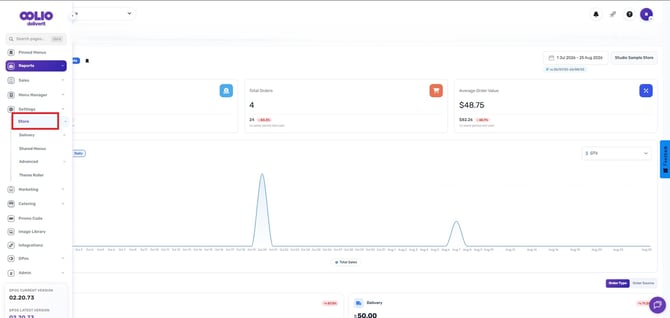
Select Store
Under the settings, choose the store.
Open Any Store Settings Section
Choose from any of the following selections:
- General
- Trading Hours
- Pickup and Scheduling
- Shop Closed Dates
- Public Holiday Surcharge Dates
- Custom Surcharges
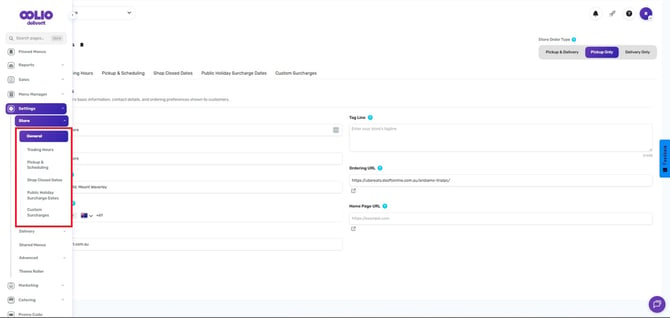
Enable Pickup Only
In the upper-right corner of the screen, locate and click on the Pickup Only button.
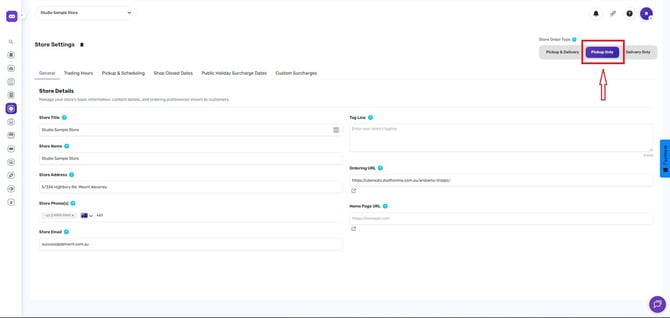
Once enabled, online delivery orders will be disabled, and customers will only be able to place pickup orders.
Reminder:
Revert the toggle to Pickup and Delivery when the store is prepared to resume delivery orders.
Pickup Only mode is useful during busy trading periods, delivery service interruptions, or when you need to temporarily pause delivery orders. If you need further assistance, simply click the blue chat icon at the bottom-right corner of the screen to connect directly with our Application Support Team.