
How to Create a Delivery Zone Code in Deliverit Studio
🟩 Log in to Deliverit Studio using your DPOS Cloud credentials
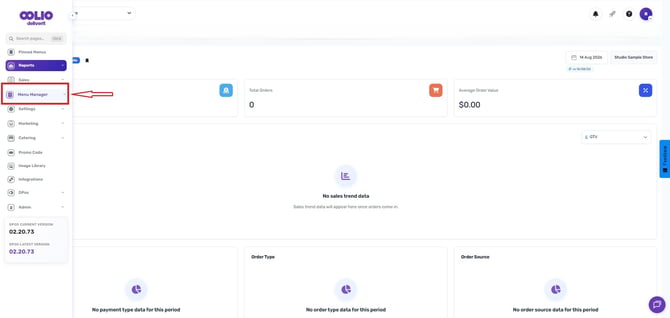
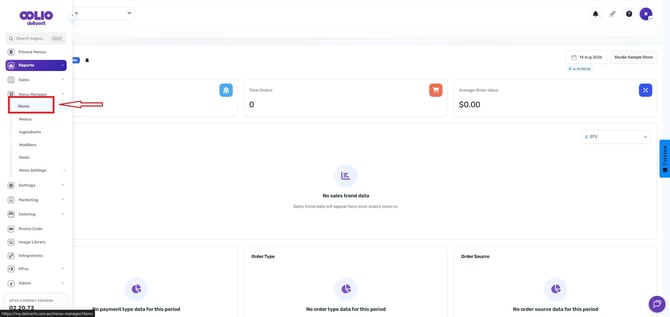
🟩 Go to Menu Manager → Click the Item tab
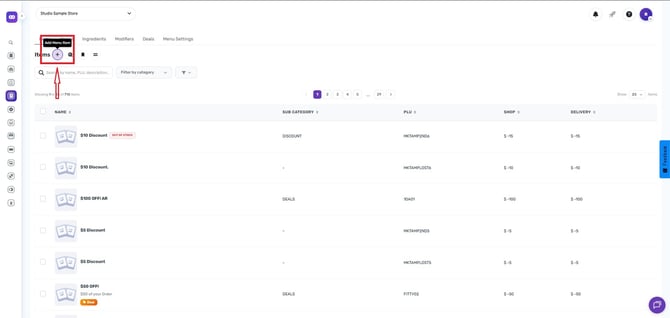
🟩 Add a New Item (PLU) using the Add Item Wizard
🟩 Fill in item details:
🟩 Category (e.g., Surcharge or Public Holiday)
🟩 Item Name (e.g., "Delivery Fee Test")
🟩 Unique PLU Code (e.g., DELT)
🟩 Set the price as a dollar.
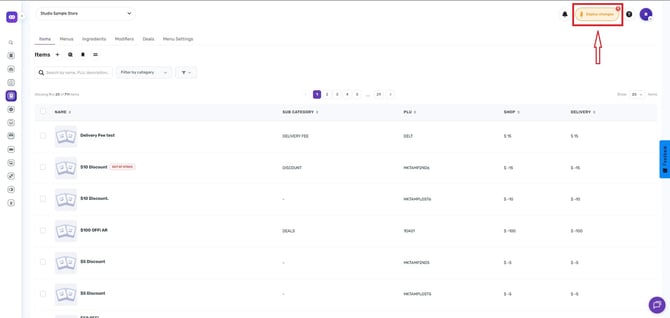
🟩 Deploy changes using the rocket icon
💡 Note: If you're setting up a new delivery zone and don’t have a PLU for the fee yet, complete this step first so it can be selected when assigning fees.
Note: Your DPOS version should be 02.20.72 to receive the updates from Deliverit Studio.
Step-by-Step Instructions
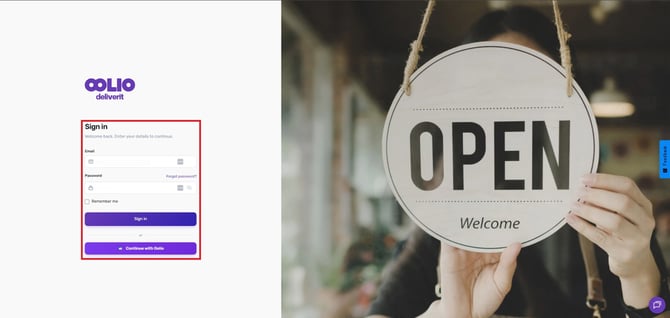
Log in to Deliverit Studio
- Go to: https://my.deliverit.com.au
- Enter your DPOS Cloud username and password to log in.
Open the Item Tab
- On the left-hand side menu, click Menu Manager.
- Then select the Item tab.
Add a New Item
- Click the Add Item button or the plus (+) icon to create a new PLU.
Fill in Item Details
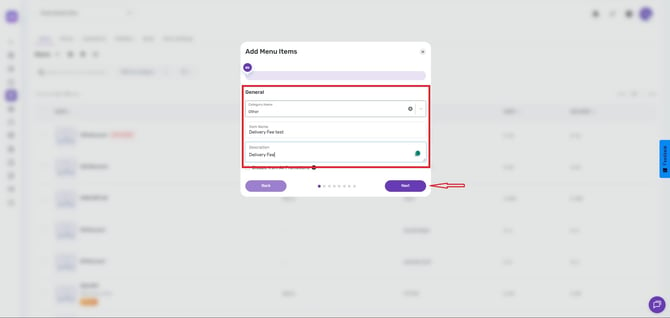
- Category – Select the relevant category for the item, such as surcharges, Public Holiday
- Item Name – Choose a name like “Delivery Fee Test”.
- Description – Optional, for internal use. Click next.
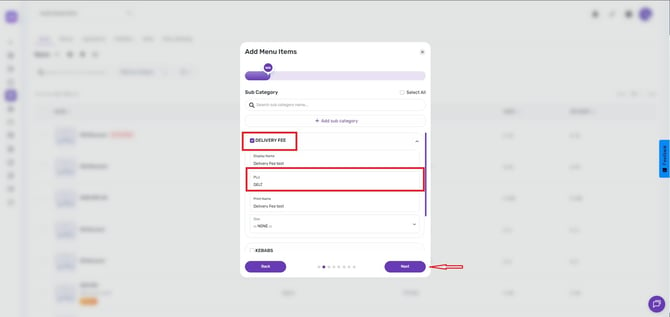
- Tick the box for the category, and enter a unique product code (DELT)
- Click Next to continue.
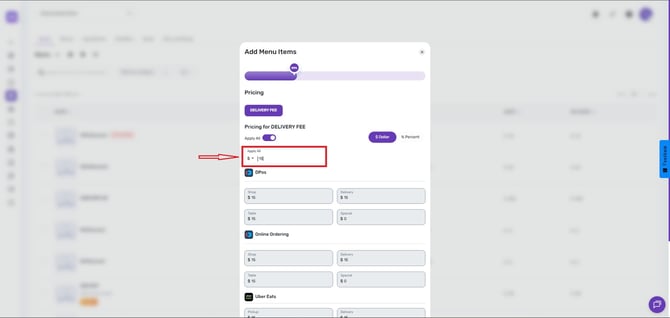
Set the Price
- Set your desired price.
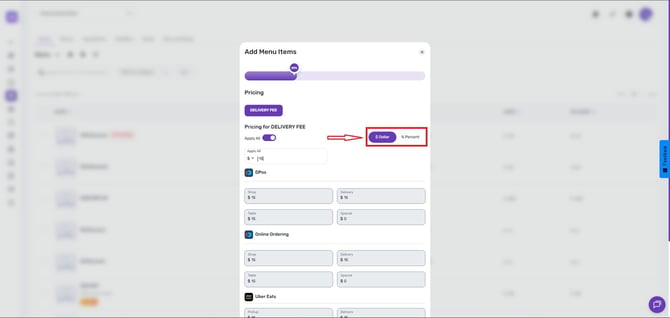
- Choose dollar ($) pricing format
- Click Finish.
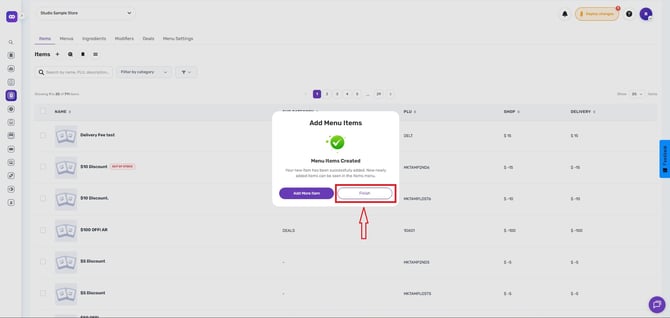
Deploy Changes
- Go to the rocket icon at the top right of the page.
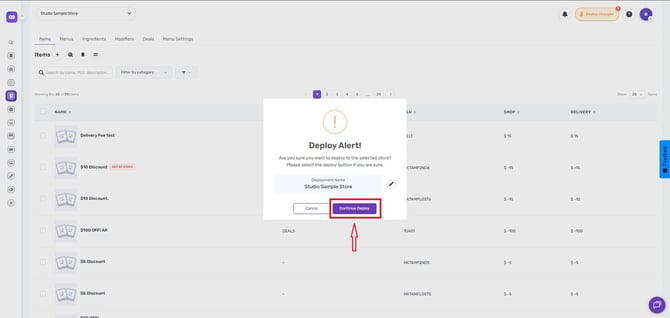
- Click Deploy to publish your changes.
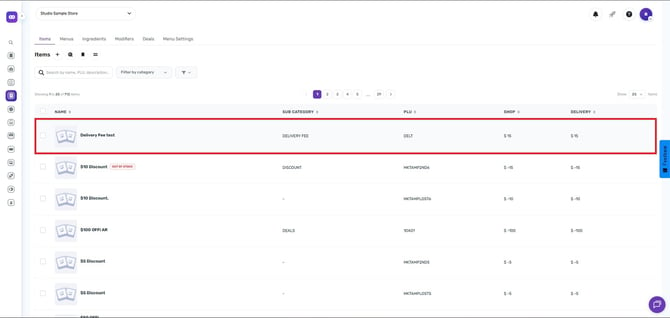
Restart your DPOS application to update your delivery areas.
Note: To add a delivery zone, follow this link: How to Add a New Delivery Zone
By following these steps, you can easily create and deploy a delivery zone PLU using Deliverit Studio. If you need further assistance, please contact our Application Support Team.