
Step‑by‑Step Instructions
Open the DPos Application
- Launch DPos on your device.
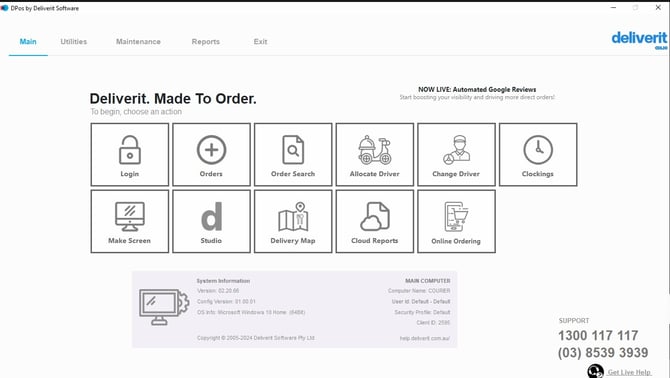
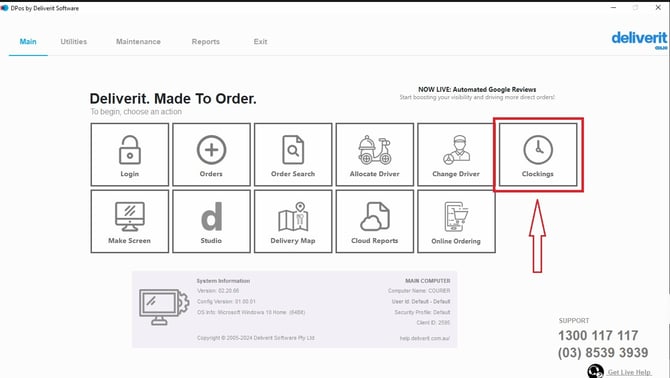
Go to the Clockings Section
- On the main screen, tap Clockings.
- This will display the staff clock-in options.
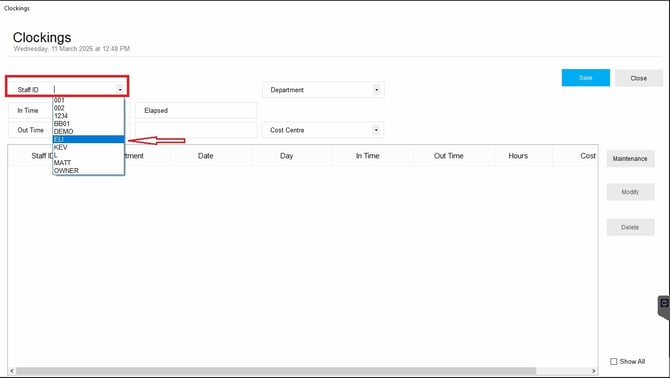
Select Your Staff ID
- Find your Staff ID from the list.
Clock In
- Tap the Clock In button.
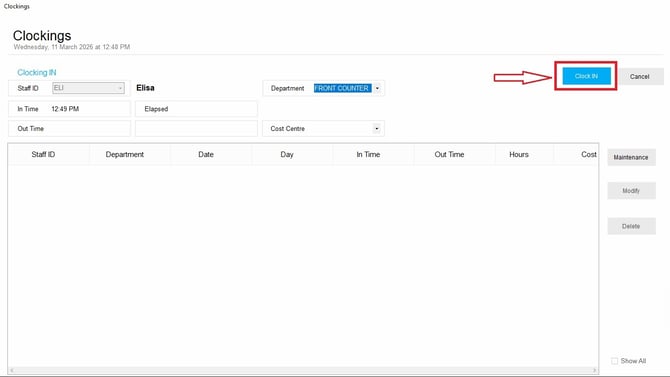
- Your clock-in time will be recorded instantly.
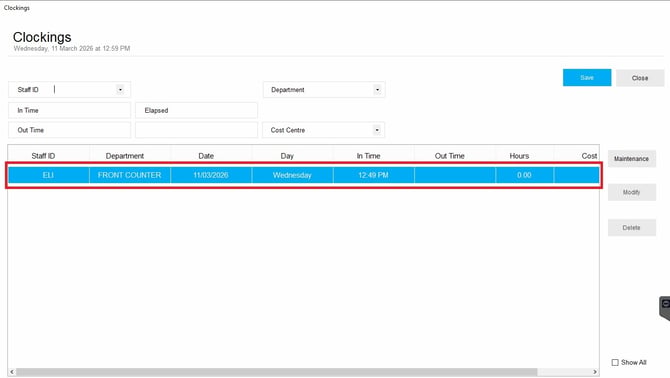
Clock Out
When your shift ends:
- Repeat the same steps (Clocking's → Staff ID).
- Tap the Clock Out button.
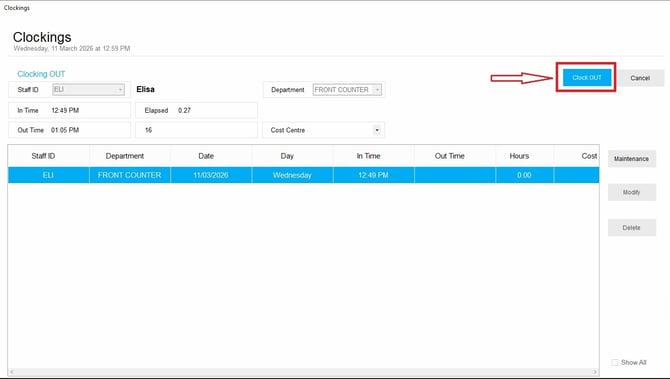
- Your clock-out time will be saved in the system.
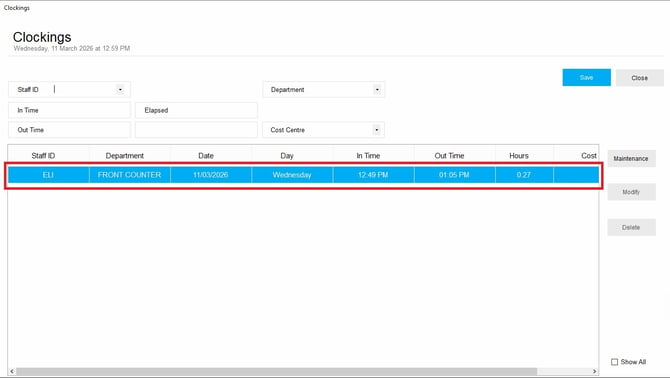
Accurate clock-ins and clock-outs help ensure correct attendance records and payroll. If you need further assistance, simply click the blue chat icon at the bottom-right corner of the screen to connect directly with our Application Support Team.