
Step‑by‑Step Instructions
Log In to DPos
- Open DPos on your device.
- Enter your login credentials.
- Click Log In to proceed.

Go to the Orders Section
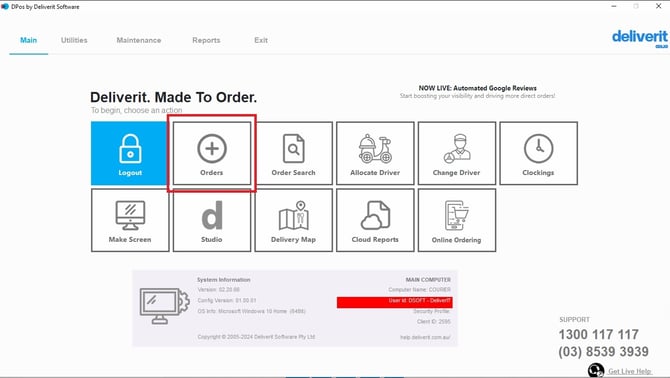
- From the main dashboard, select Orders.
Apply the Discount
- Open the order you want to discount.
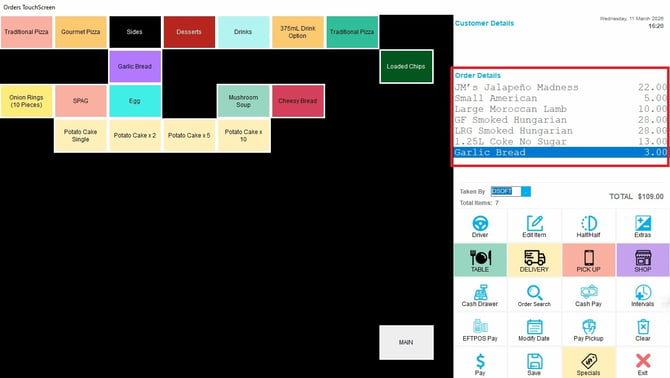
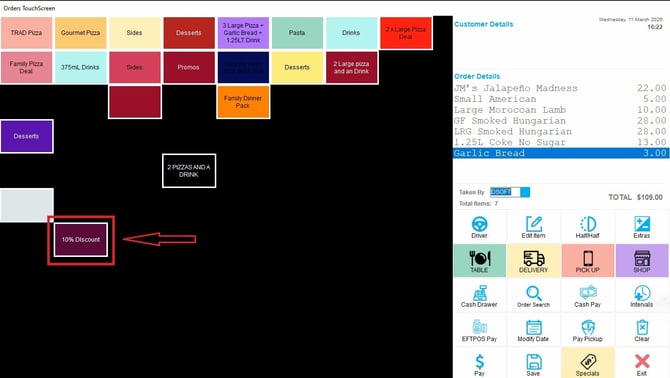
- Locate and Click on the available Discount button.
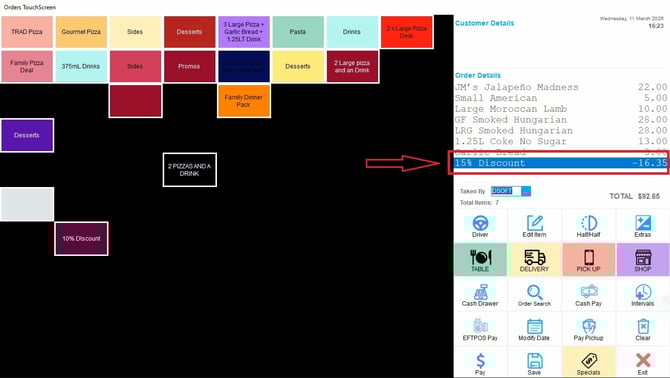
The discount will be automatically applied to the order total.
Discounts help provide flexibility for promotions and price adjustments. If you need further assistance, simply click the blue chat icon at the bottom-right corner of the screen to connect directly with our Application Support Team.