
Step-by-Step Guide
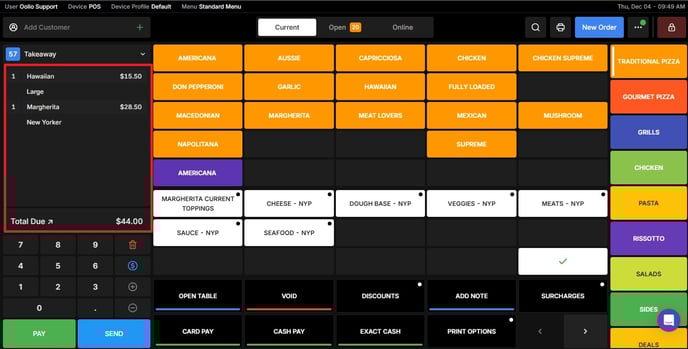
Open the Orders Screen
Navigate to the Orders section.
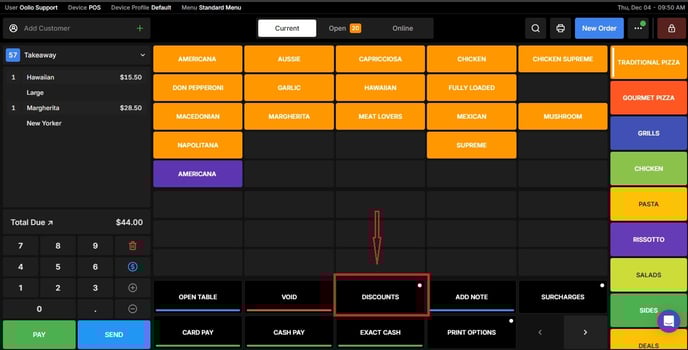
Open the Discount Options
Tap the Discount button to view available discount settings.
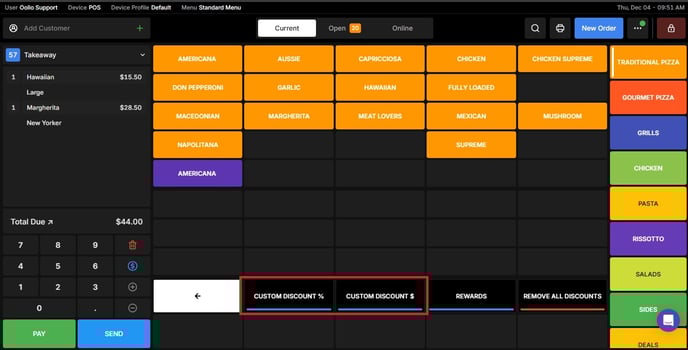
Choose Your Discount Type
Select the type of discount you want to apply:
- Dollar Amount (e.g., $2 off), or
- Percentage (e.g., 10% off)
Set the Discount
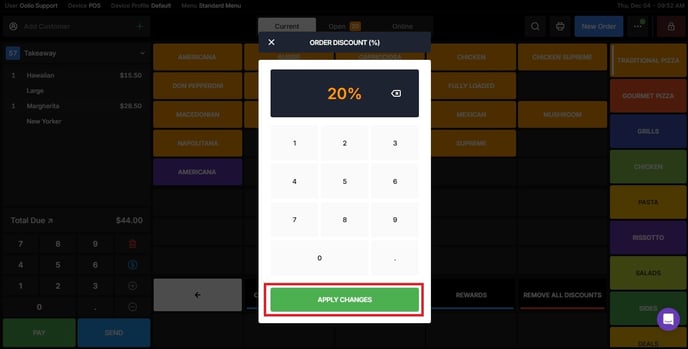
Enter the discount amount or percentage you want to apply to the order.
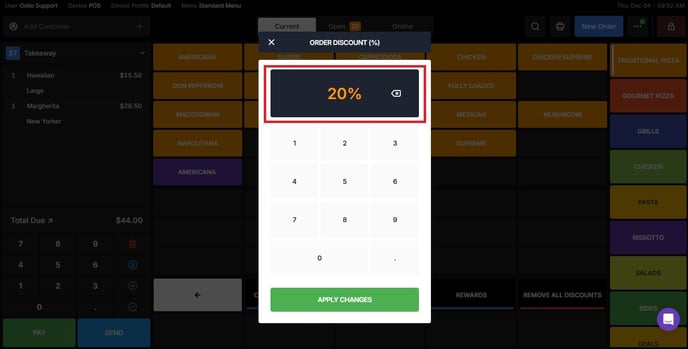
Apply the Changes
Tap Apply Changes to confirm.
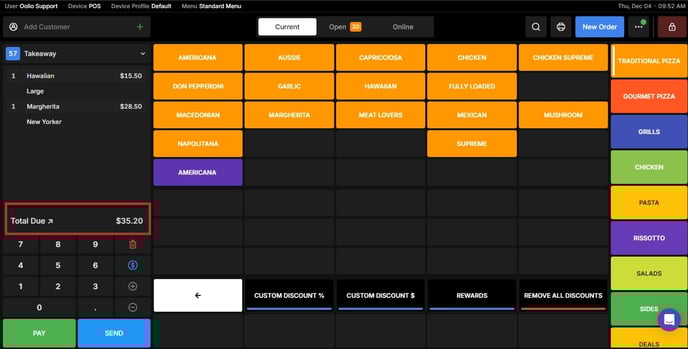
The updated price will appear automatically on the order screen.
If you need further assistance, simply click the blue chat icon at the bottom-right corner of the screen to connect directly with our Application Support Team.