
Steps to Access the Web Sales Report
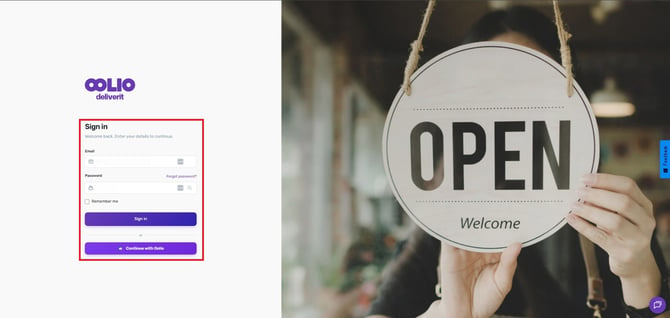
Log in to Studio
Sign in to your Deliverit Studio account.
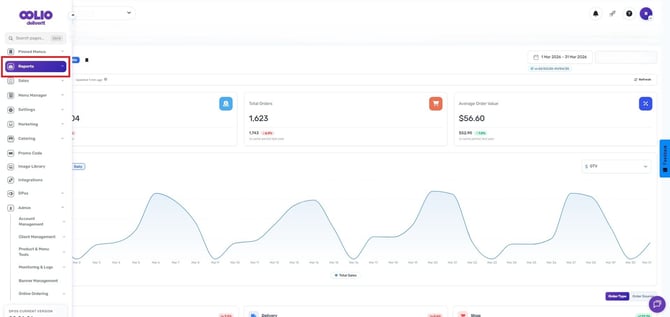
Navigate to Reports
From the main menu, click Reports.
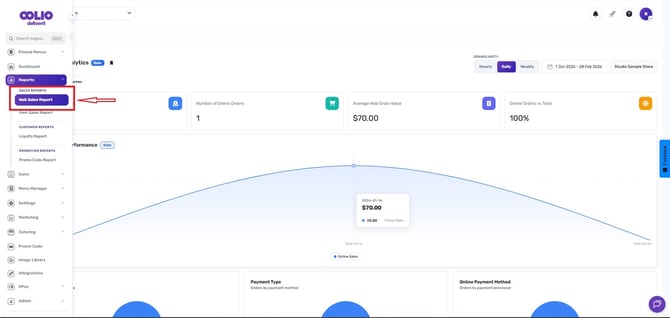
Open the Web Sales Report
Under the Sales Report, select Web Sales Report.
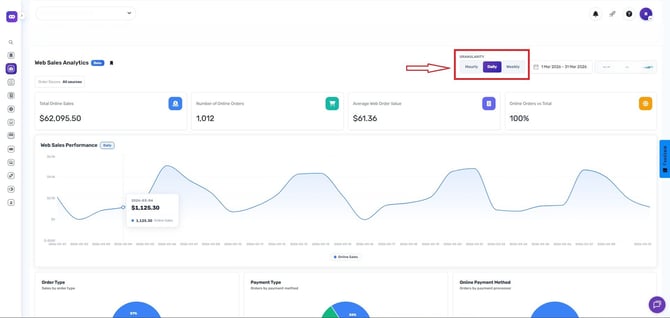
Choose a Granularity
Select how you would like the data to be displayed:
- Hourly
- Daily
- Weekly
Set the Date Range
Choose the desired reporting period by selecting a start and end date.
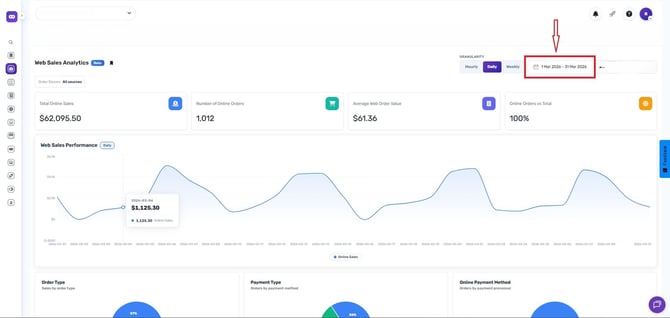
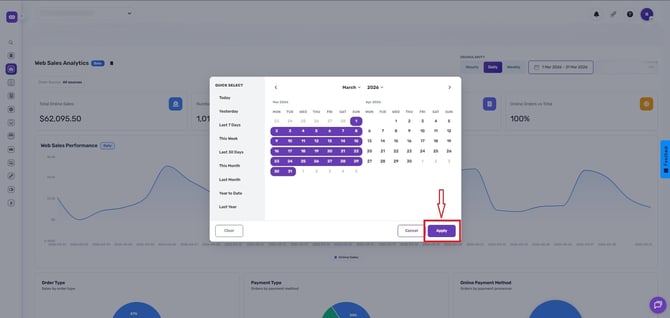
Apply the Report
Click Apply to generate the report.
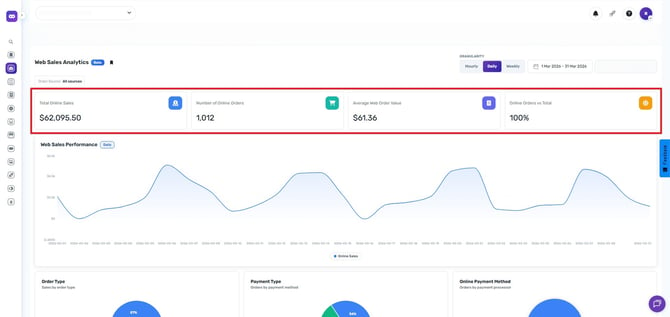
Report Summary Metrics
Once the report has loaded, you will be able to view the following key performance indicators:
- Total Online Sales – The total revenue generated from online orders.
- Number of Online Orders – The total number of online orders placed during the selected date range.
- Average Web Order Value – The average value of each online order.
- Online Orders vs Total Orders – A comparison of online orders against overall order volume.
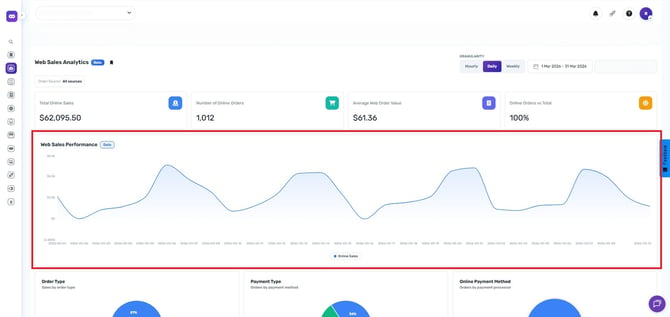
Web Sales Performance
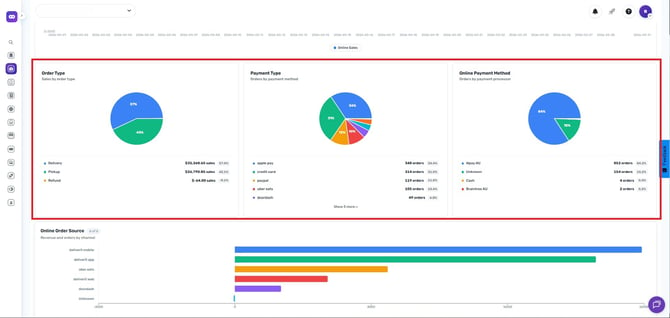
Sales Breakdown
The report also allows you to analyze sales based on specific criteria, including:
Sales by Order Type
View sales performance based on order fulfillment methods, such as pickup or delivery.
Sales by Payment Type
Analyze sales according to payment categories.
Sales by Online Payment Method
Review the payment methods customers used when ordering online.
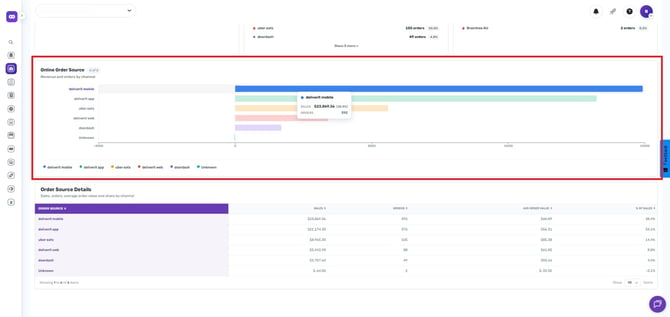
Sales by Online Order Source
Identify where online orders originated from and evaluate channel performance.
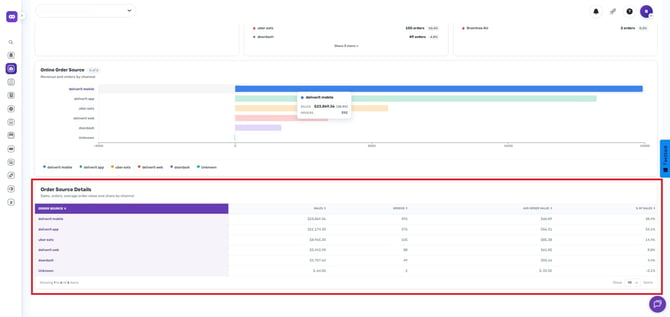
Order Source Details
The Order Source Details section provides a detailed breakdown of your online order channels, helping you understand which sources contribute the most orders and revenue.
Regularly reviewing the Web Sales Report can help you identify sales trends, monitor online ordering performance, and determine which order sources and payment methods are driving the best results for your business.
If you need further assistance, simply click the chat icon at the bottom-right corner of the screen to connect directly with our Application Support Team.