
Step-by-Step Guide
Log In to Deliverit Studio
-
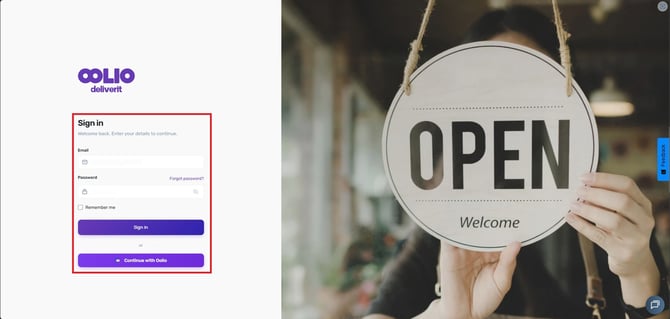
Go to my.deliverit.com.au
-
Enter your login credentials and sign in
Navigate to Reports
-
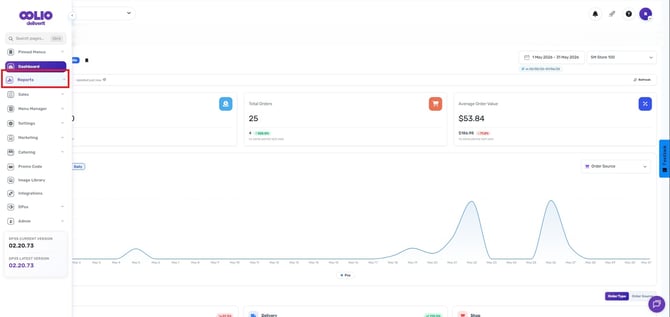
From the main menu, click on Reports
Open the Promo Code Report
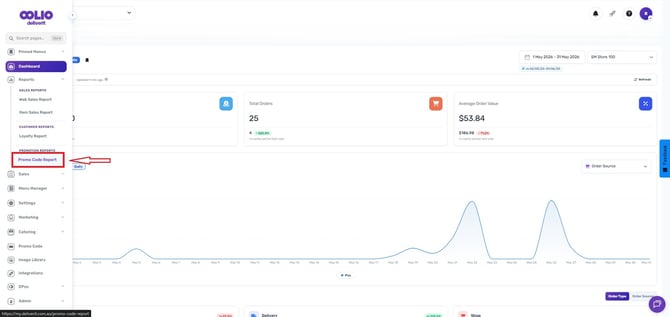
- Under the Promotion Reports, select the Promo Code Report from the list of available reports
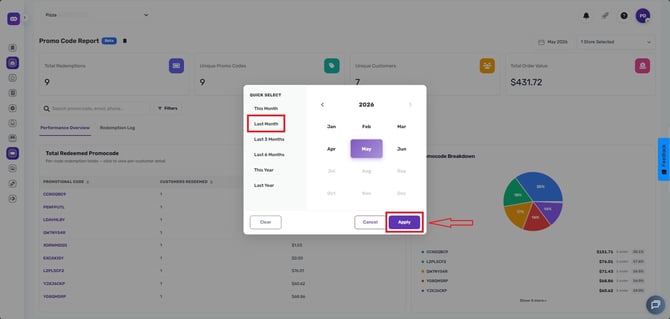
Set Your Date Range
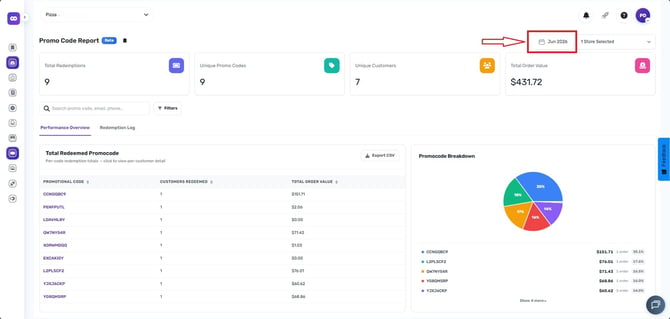
Choose the time period you want to review by selecting one of the following options:
-
This Month
-
Last Month
-
Last 3 Months
-
Last 6 Months
-
This Year
-
Last Year
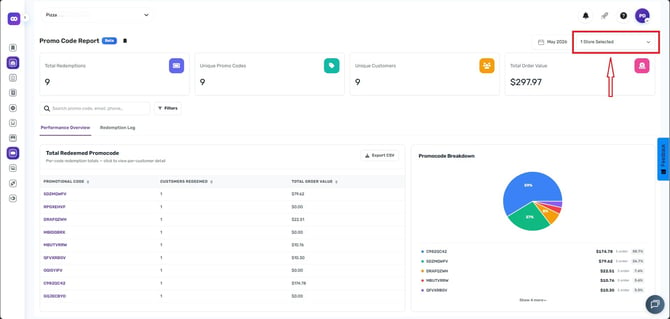
Select a Store (If Applicable)
- If you manage multiple stores, choose the specific store you want to view data for
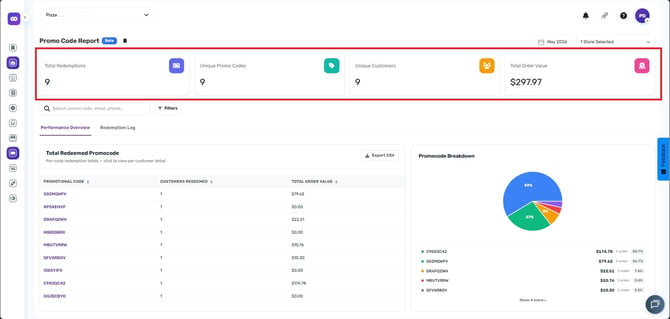
Understanding the Report Data
Once the report is loaded, you will see the following key metrics:
- Total Redemptions – The total number of times promo codes were used
- Unique Promo Codes – The number of different promo codes applied
- Unique Customers – The number of customers who used promo codes
- Total Order Value – The total value of orders where promo codes were applied
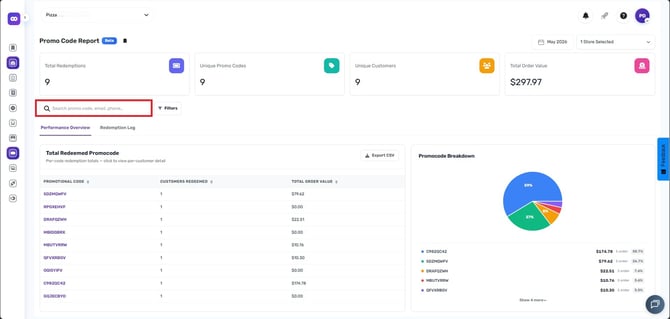
Search and Filter Options
Basic Search
You can quickly find specific data by searching:
- Promo Code
- Customer Email
- Phone Number
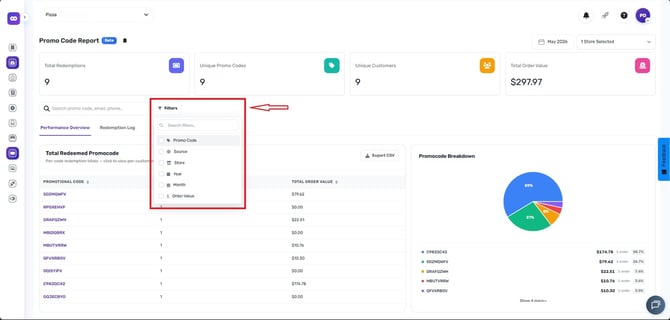
Advanced Filters
Refine your results further using:
- Promo Code
- Source (Impact Data or Legacy Promo Code)
- Store
- Year
- Month
- Order Value
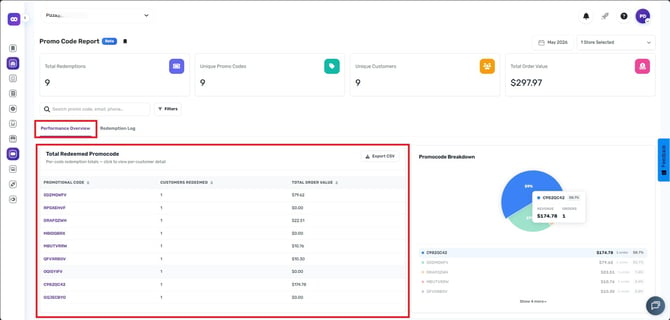
- Performance Overview (e.g., total redeemed promo codes)
Report Sections
Performance Overview
- Displays a detailed summary of each promo code's performance
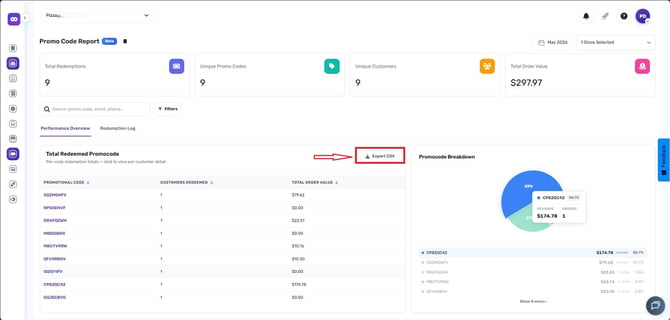
- Option to Export to CSV
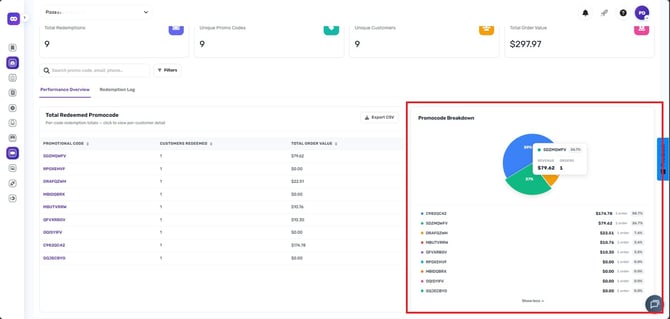
- Promo Code Breakdown
Tip:
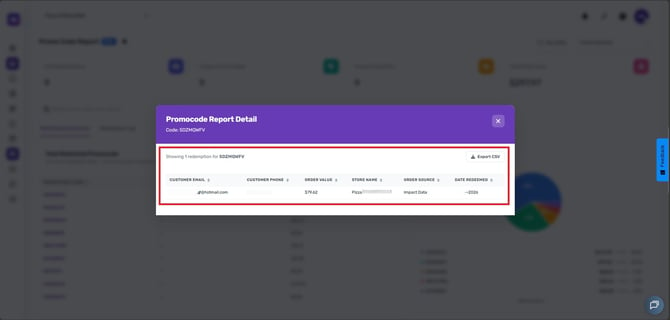
- You can click on any individual promo code to view detailed insights and download the data as a CSV file for further analysis.
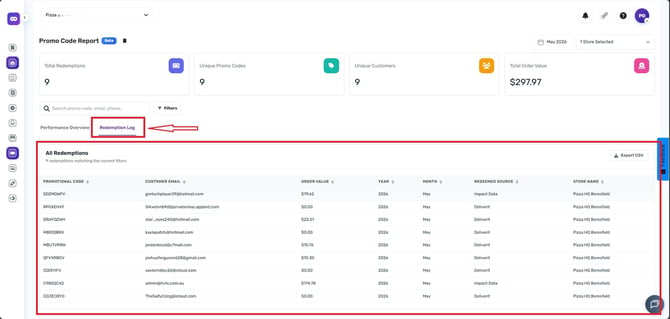
Redemption Logs
- Shows a complete log of all promo code redemptions
- Includes detailed transaction-level data
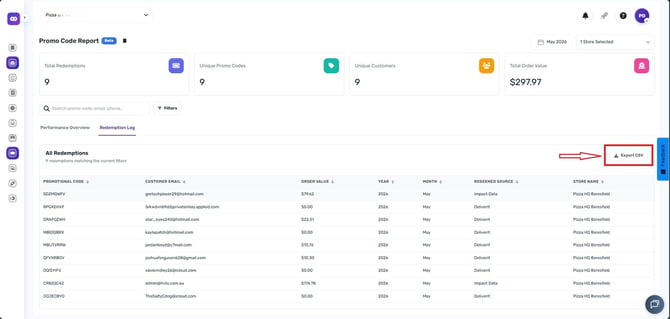
- Option to Export to CSV
Using the Promo Code Report can help you understand which promotions are most effective and identify opportunities to improvmarketing strategies. Make it a habit to review this report to maximize the impact of your promo campaigns.
If you need further assistance, simply click the blue chat icon at the bottom-right corner of the screen to connect directly with our Application Support Team.