
Step‑by‑Step: Applying a Discount to an Order
Note: Applying discounts requires a user with a higher permission level to log in and unlock the feature.
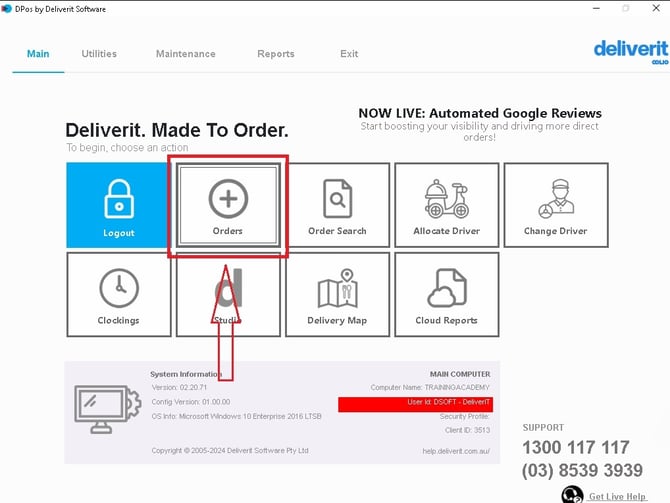
Go to the Order Section on DPos
- Open the Order section in the system.
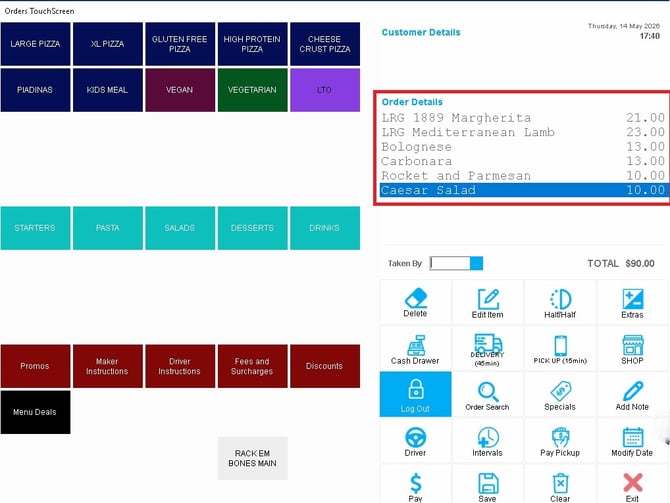
Add Items to the Order
- Select and add the required items to the order.
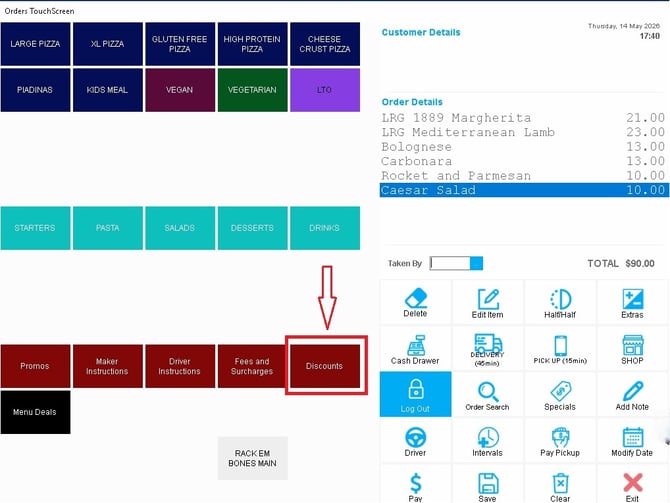
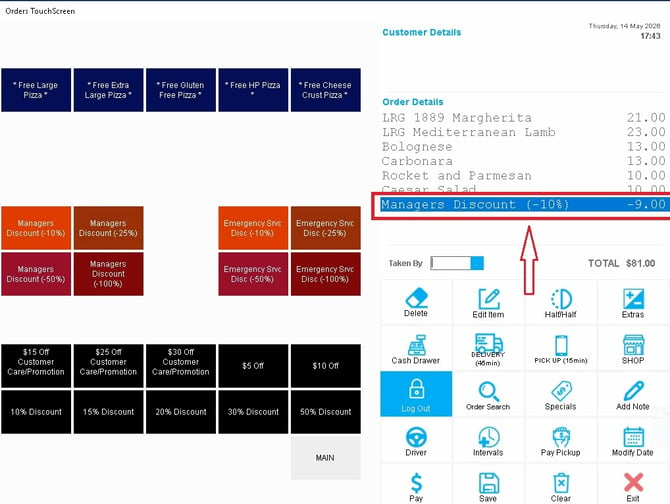
Open the Discount Option
- Once all items have been added, click the Discount button.
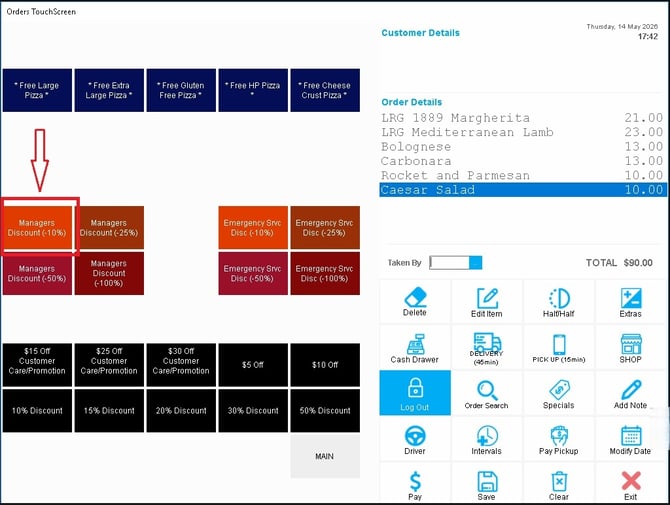
Select a Discount
- Choose the discount type you want to apply from the available options.
Confirm the Discount
- The selected discount will be automatically applied to the order total.
If you need further assistance, simply click the blue chat icon at the bottom-right corner of the screen to connect directly with our Application Support Team.