
This report provides analytical data for your store's Online Ordering Loyalty Program.
Log in to Studio
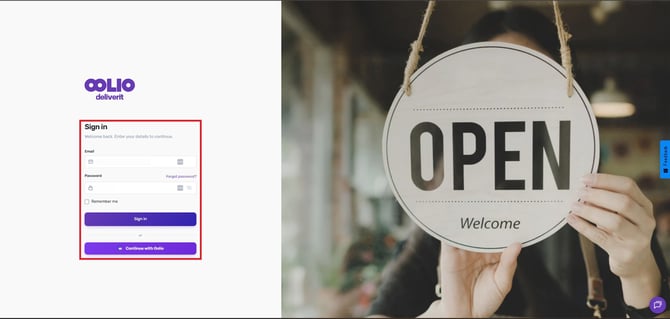
- Go to my.deliverit.com.au.
- Sign in using your account credentials.
Navigate to the Loyalty Report
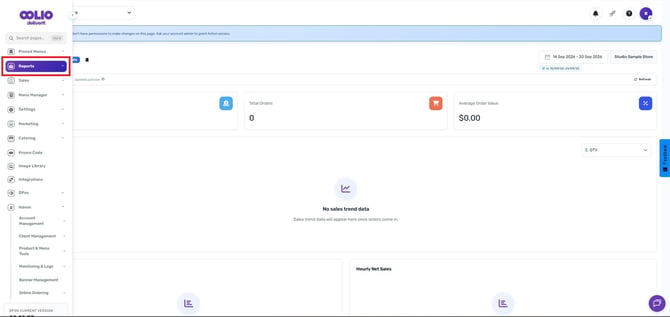
- From the left-hand navigation menu, click Reports.
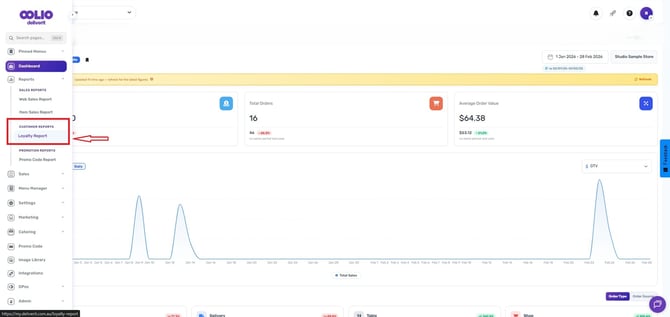
- Under Customer Reports, Select Loyalty Report.
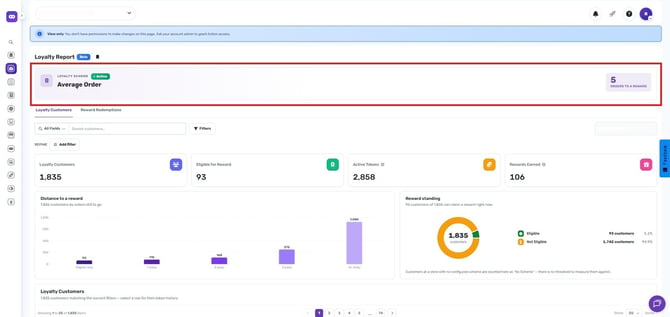
You will see information relating to your active Loyalty Scheme.
-
Scheme Details (Eg: Order 5 times and receive a reward on next order)
Loyalty Customers
The Loyalty Customers tab allows you to view customers participating in your loyalty program. (These customers have live Tokens)
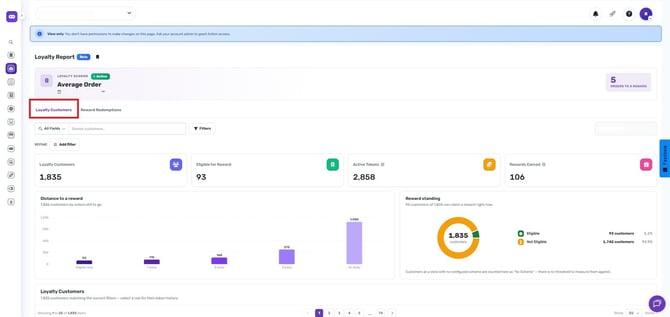
Search for Loyalty Customers
Use one or more of the following filters:
- Customer ID
- First Name
- Last Name
- Loyalty Order Count
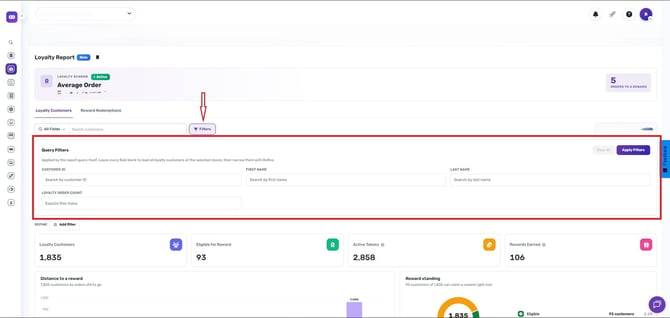
Once you have entered your search criteria, click Apply Filters.
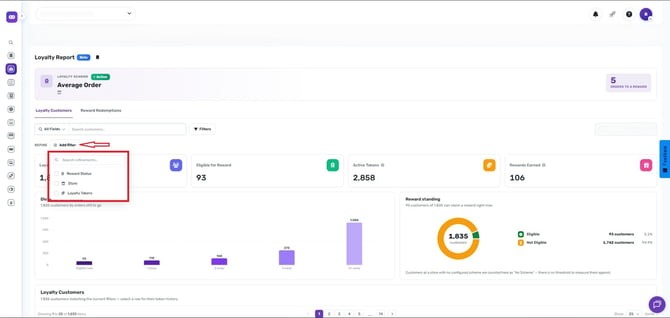
Additional Filters
You can further refine your results using:
- Reward Status
- Store (Multi store Locations)
- Loyalty Tokens
Loyalty Summary Metrics
The report provides the following key statistics:
- Loyalty Customers (Total enrolled loyalty members )
- Eligible for Reward (shows the total number of customers who are eligible to receive a reward. Each customer is counted once, making it a direct customer count.)
- Active Tokens (Tokens currently in circulation)
- Rewards Earned (Total rewards earned by customers)
- Distance to a Reward (Customer progress toward the next reward)
- Reward Standing (Distribution of customers by reward progress level)
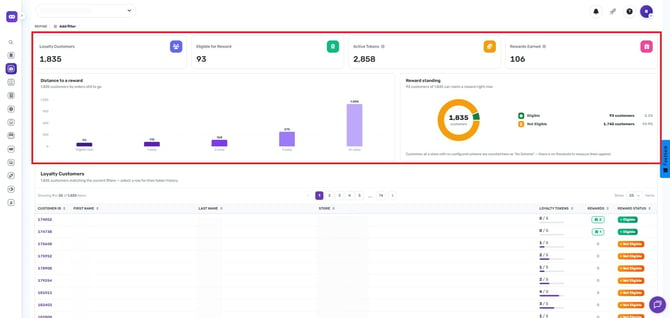
The filtered results will display customers that match your selected criteria.
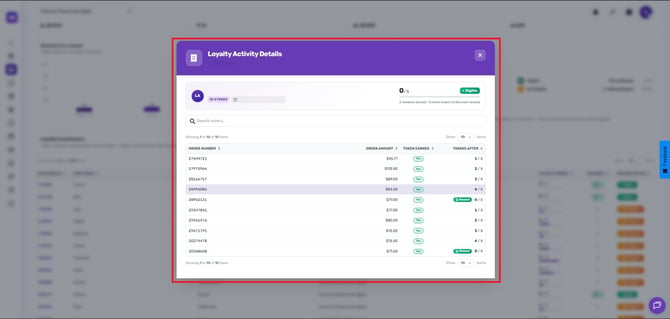
Select any customer to view loyalty activity details.
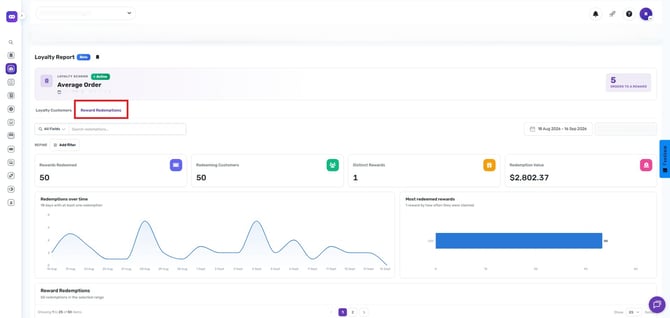
For further analysis click on the Reward Redemptions Tab:
The Reward Redemptions tab provides insights into reward redemption activity, including the total redemption value, rewards redeemed, and the number of customers who have unlocked rewards.
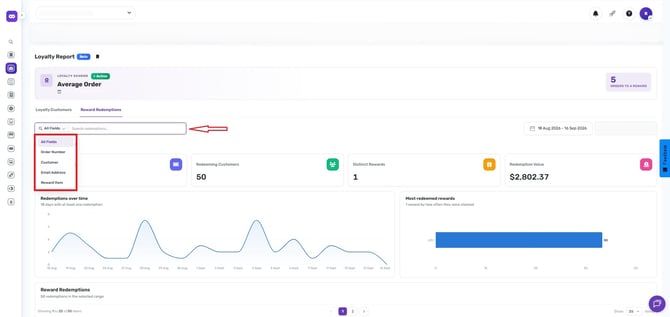
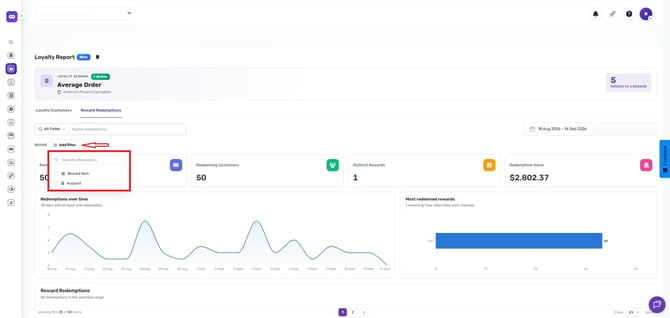
Search Reward Redemptions
- Search Redemptions
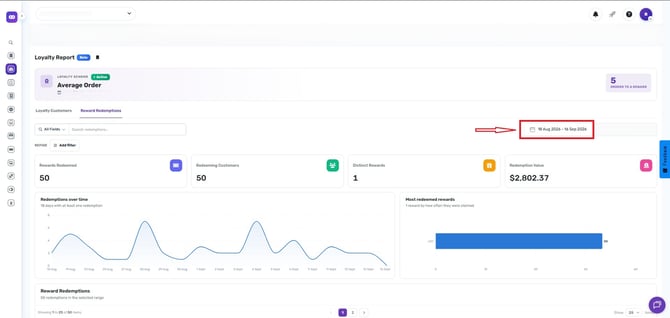
- Set the desired Date Range.
- Apply additional filters as needed:
Account
Redemption Summary Metrics
The Reward Logs report displays:
- Rewards Redeemed
- Redeeming Customers
- Distinct Rewards
- Redemption Value
- Redemptions Over Time
- Most Redeemed Rewards
- Reward Redemption History
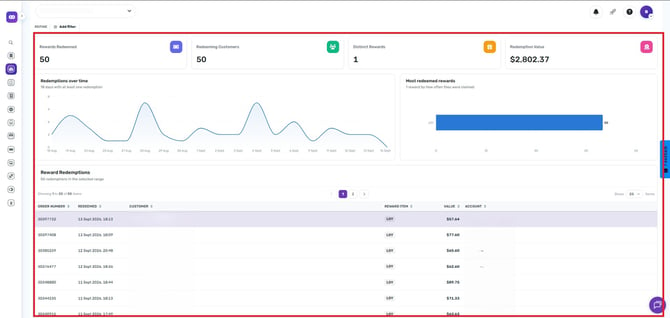
These metrics help you understand how customers are interacting with your loyalty program and which rewards are the most popular.
The Loyalty Report provides valuable insights into customer engagement and reward usage. If you need further assistance, simply click the chat icon at the bottom-right corner of the screen to connect directly with our Application Support Team.